> ## Documentation Index
> Fetch the complete documentation index at: https://docs.base44.com/llms.txt
> Use this file to discover all available pages before exploring further.
# Connectors catalog
> Browse available connectors, explore example prompts, and review permissions.
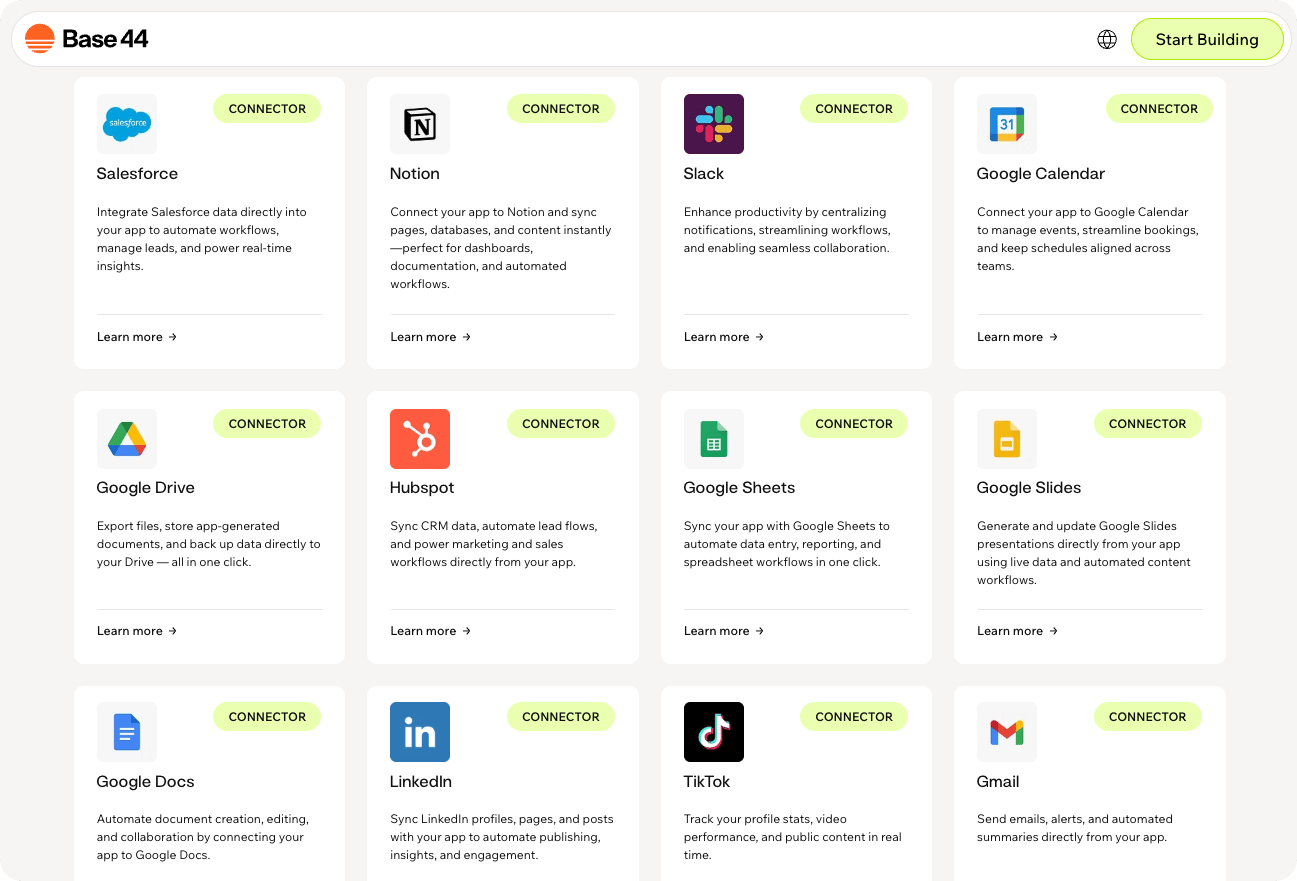
Connect your Base44 app to popular tools and data sources using managed integrations.
 You need a [**Builder plan**](https://base44.com/pricing) or higher to use connectors.
***
## Browse by category
Stripe, Square
Gmail, Outlook, Slack, Discord, Microsoft Teams, Google Meet
Google Analytics, BigQuery, Search Console, Snowflake, Databricks, Google Forms, Airtable, Typeform
HubSpot, Salesforce, Gumroad, Zoho CRM, Mailchimp, Facebook Pages, Omnisend, Meta Ads, Instagram Business, LinkedIn, TikTok, Eventbrite
Gorgias, Intercom
ClickUp, Linear, Wrike, Confluence, Jira, Todoist, Google Calendar, Google Tasks, Notion, Google Classroom, Calendly, Basecamp, Harvest
GitHub API, GitLab, Supabase, Hugging Face
SharePoint, DocuSign, Microsoft Word, Microsoft OneNote, Microsoft Excel, Microsoft PowerPoint, Google Drive, Google Docs, Google Sheets, Google Slides, Dropbox, Box, OneDrive
Contentful, Wix, Twitch
Splitwise
QuickBooks, FreshBooks
BambooHR
Tell the **AI chat** what you want to connect and how you want to use it, and get relevant suggestions based on your app's structure, pages, and data.
***
## Payments
Sell products or subscriptions and get paid online.
[Learn more about setting up Stripe](/documentation/setting-up-your-app/setting-up-payments)
**What you can do:**
* Sell subscriptions or one-time products.
* Trigger workflows after successful payments.
* Connect purchases to your app data.
**Example prompts:**
```text theme={null}
Connect Stripe and let people pay for a subscription in my app.
```
```text theme={null}
Charge customers with Stripe when they place an order in my app.
```
```text theme={null}
When a payment succeeds in Stripe, update the order status in my app and send a confirmation email.
```
**Permissions requested:**
```text theme={null}
read_write access to payments, customers, and checkout sessions
```
Process payments, manage inventory, customers, and orders with Square.
**What you can do:**
* Process payments.
* Manage inventory and catalog.
* Track orders and customers.
**Example prompts:**
```text theme={null}
Process payments through Square from this app.
```
```text theme={null}
Display Square sales and transaction data in a dashboard.
```
```text theme={null}
Manage Square inventory and product catalog.
```
**Permissions requested:**
```text theme={null}
MERCHANT_PROFILE_READ
PAYMENTS_READ
PAYMENTS_WRITE
ORDERS_READ
ORDERS_WRITE
CUSTOMERS_READ
CUSTOMERS_WRITE
ITEMS_READ
ITEMS_WRITE
INVENTORY_READ
INVENTORY_WRITE
INVOICES_READ
INVOICES_WRITE
```
***
## Communication
Email service. Messages, drafts and inbox.
**What you can do:**
* Send daily email digests.
* Alert teammates when something changes.
* Email summaries of activity.
**Example prompts:**
```text theme={null}
Send me a daily email with my to-do list using Gmail.
```
```text theme={null}
Email me a summary of all new signups from today.
```
```text theme={null}
Send a weekly Gmail digest with key metrics from this dashboard.
```
**Permissions requested:**
```text theme={null}
https://www.googleapis.com/auth/gmail.readonly
https://www.googleapis.com/auth/gmail.modify
https://www.googleapis.com/auth/gmail.compose
https://www.googleapis.com/auth/gmail.send
https://www.googleapis.com/auth/gmail.labels
```
Email and calendar. Messages, events and contacts.
**What you can do:**
* Send email summaries.
* Create calendar events.
* Check availability.
**Example prompts:**
```text theme={null}
Connect to my Outlook account and send me a daily email summary from this app.
```
```text theme={null}
Create Outlook calendar events when a new meeting is confirmed in this app.
```
```text theme={null}
Check my Outlook calendar availability before scheduling appointments.
```
**Permissions requested:**
```text theme={null}
User.Read
offline_access
Mail.Read
Mail.ReadWrite
Mail.Send
Calendars.Read
Calendars.ReadWrite
```
Team messaging. Send messages as yourself.
**What you can do:**
* Post updates to channels.
* Notify teammates.
* Search messages.
**Example prompts:**
```text theme={null}
Post a message to the #support channel when a new ticket is created.
```
```text theme={null}
Send a daily summary of completed tasks to my team's Slack channel.
```
```text theme={null}
Send alerts to a Slack channel when deadlines are approaching.
```
**Permissions requested:**
```text theme={null}
channels:read
groups:read
chat:write
im:read
im:history
users:read
users:read.email
```
Team messaging. Post as a branded bot.
**What you can do:**
* Send automated bot messages.
* Post updates.
* Trigger alerts.
**Example prompts:**
```text theme={null}
Send a message as a bot to the #announcements channel when a release is published.
```
```text theme={null}
Send a daily bot summary to #team-updates at 5pm.
```
```text theme={null}
Send a bot message to #product-updates when a feature flag is enabled.
```
**Permissions requested:**
```text theme={null}
chat:write
channels:read
bot access
```
Notify channels and communities.
**What you can do:**
* Post messages.
* Send alerts.
* Notify communities.
**Example prompts:**
```text theme={null}
Post a message to the #announcements channel when a new feature is released.
```
```text theme={null}
Send an alert to the #ops channel when a critical error occurs.
```
```text theme={null}
Notify a Discord channel when a new support ticket is created.
```
**Permissions requested:**
```text theme={null}
webhook or bot access
```
Team chat. Channels, messages and meetings.
**What you can do:**
* Send channel messages.
* Schedule meetings.
* Share updates.
**Example prompts:**
```text theme={null}
Send a notification to my Teams channel when a new client is added.
```
```text theme={null}
Send meeting summaries to a Teams channel.
```
```text theme={null}
Schedule a Teams meeting when a booking is confirmed.
```
**Permissions requested:**
```text theme={null}
User.Read
Calendars.Read
Calendars.ReadWrite
offline_access
Chat.ReadWrite
OnlineMeetings.ReadWrite
Team.ReadBasic.All
Channel.ReadBasic.All
ChannelMessage.Send
Group.Read.All
Directory.Read.All
```
Video conferencing. Meetings, links and recordings.
**What you can do:**
* Create meeting links.
* Generate meeting spaces.
* Sync meetings.
**Example prompts:**
```text theme={null}
Create a Google Meet space when a new meeting is scheduled.
```
```text theme={null}
Generate a Google Meet link when a booking is confirmed.
```
```text theme={null}
Add a Google Meet link to scheduled appointments in my app.
```
**Permissions requested:**
```text theme={null}
https://www.googleapis.com/auth/meetings.space.created
https://www.googleapis.com/auth/meetings.space.readonly
```
***
## Data & Analytics
Web analytics. Traffic, events and audiences.
**What you can do:**
* View traffic.
* Monitor engagement.
* Generate reports.
**Example prompts:**
```text theme={null}
Connect Google Analytics and show pageviews, sessions, and top pages in a dashboard.
```
```text theme={null}
Pull my Google Analytics traffic by source and show trends week over week.
```
```text theme={null}
Create a weekly report from Google Analytics and email it to me.
```
**Permissions requested:**
```text theme={null}
https://www.googleapis.com/auth/analytics.readonly
https://www.googleapis.com/auth/analytics.edit
```
Analytics warehouse. Datasets, tables and queries.
**What you can do:**
* Run queries.
* Analyze data.
* Build dashboards.
**Example prompts:**
```text theme={null}
Connect this app to my BigQuery project and add a data agent that answers questions about my analytics.
```
```text theme={null}
Let users ask questions about sales trends from my BigQuery dataset.
```
```text theme={null}
Alert me when a KPI drops below a threshold based on BigQuery data.
```
**Permissions requested:**
```text theme={null}
https://www.googleapis.com/auth/bigquery.readonly
```
Search analytics. Queries, clicks and indexing.
**What you can do:**
* Track rankings.
* Monitor clicks.
* Analyze queries.
**Example prompts:**
```text theme={null}
Connect Search Console and show my top queries and click data.
```
```text theme={null}
Alert me when a page drops in search rankings.
```
```text theme={null}
Track indexing status for new pages in this app.
```
**Permissions requested:**
```text theme={null}
https://www.googleapis.com/auth/webmasters
https://www.googleapis.com/auth/webmasters.readonly
```
Data warehouse. Databases, tables and queries.
**What you can do:**
* Query Snowflake data.
* Build dashboards from Snowflake data.
* Work with external data while building apps.
**Example prompts:**
```text theme={null}
Connect Snowflake and create a dashboard from my warehouse data.
```
```text theme={null}
Query Snowflake to show sales trends by region.
```
```text theme={null}
Use Snowflake data to answer questions in this app.
```
**Access details:**
```text theme={null}
Access depends on the Snowflake connection set up for your workspace and the permissions available in Snowflake.
```
Data and AI platform. Notebooks, tables and jobs.
**What you can do:**
* Query Databricks data.
* Build dashboards from Databricks data.
* Work with external data while building apps.
**Example prompts:**
```text theme={null}
Connect Databricks and create a dashboard from my workspace data.
```
```text theme={null}
Query Databricks to show product usage trends.
```
```text theme={null}
Use Databricks data to answer questions in this app.
```
**Permissions requested:**
```text theme={null}
all-apis
sql
```
Create and manage Google Forms and read form responses.
**What you can do:**
* Create and edit forms.
* Collect responses.
* Summarize response data.
**Example prompts:**
```text theme={null}
Create a customer feedback form and save the responder link in my app.
```
```text theme={null}
Show recent responses from a Google Form in an admin dashboard.
```
```text theme={null}
Summarize survey responses and show response counts by answer.
```
**Permissions requested:**
```text theme={null}
https://www.googleapis.com/auth/drive
https://www.googleapis.com/auth/drive.file
https://www.googleapis.com/auth/drive.readonly
https://www.googleapis.com/auth/forms.body
https://www.googleapis.com/auth/forms.body.readonly
https://www.googleapis.com/auth/forms.responses.readonly
```
Flexible database. Tables, records and views.
**What you can do:**
* Sync records.
* Manage tables.
* Build workflows.
**Example prompts:**
```text theme={null}
Sync data from this app with Airtable.
```
```text theme={null}
Create Airtable records when a new form is submitted in this app.
```
```text theme={null}
Show Airtable data in a dashboard inside my app.
```
**Permissions requested:**
```text theme={null}
data.records:read
data.records:write
schema.bases:read
```
Forms builder. Forms, surveys and responses.
**What you can do:**
* Collect data.
* Trigger workflows.
* Analyze responses.
**Example prompts:**
```text theme={null}
Show Typeform responses in this app.
```
```text theme={null}
Pull the latest Typeform responses into a dashboard.
```
```text theme={null}
Trigger a workflow in this app when a new Typeform response is submitted.
```
**Permissions requested:**
```text theme={null}
accounts:read
forms:read
forms:write
responses:read
```
***
## CRM & Marketing
CRM platform. Contacts, deals and campaigns.
**What you can do:**
* Sync contacts.
* Track deals.
* Automate marketing.
**Example prompts:**
```text theme={null}
Sync new leads from this app into HubSpot contacts.
```
```text theme={null}
Show HubSpot deal stages inside my project dashboard.
```
```text theme={null}
Create HubSpot contacts when people sign up in this app.
```
**Permissions requested:**
```text theme={null}
crm.objects.contacts.read
crm.objects.contacts.write
crm.objects.companies.read
crm.objects.companies.write
crm.objects.deals.read
crm.objects.deals.write
crm.objects.owners.read
crm.objects.quotes.read
crm.objects.quotes.write
crm.lists.read
crm.lists.write
crm.schemas.contacts.read
crm.schemas.companies.read
crm.schemas.deals.read
tickets
e-commerce
automation
forms
files
content
social
analytics.read
```
CRM platform. Leads, opportunities and records.
**What you can do:**
* Sync leads.
* Track opportunities.
* Manage pipelines.
**Example prompts:**
```text theme={null}
Sync new leads from this app into Salesforce.
```
```text theme={null}
Show Salesforce opportunity stages inside my project dashboard.
```
```text theme={null}
Log customer support requests in Salesforce automatically.
```
**Permissions requested:**
```text theme={null}
api
refresh_token
full
web
id
openid
profile
email
address
phone
offline_access
custom_permissions
wave_api
chatter_api
visualforce
content
cdp_api
cdp_profile_api
cdp_query_api
cdp_segment_api
interaction_api
cdp_ingest_api
pardot_api
```
Sell digital products and track sales from your app.
**What you can do:**
* Sell digital products.
* Track sales and revenue.
* Manage products and customers.
**Example prompts:**
```text theme={null}
Show my Gumroad sales and revenue in a dashboard.
```
```text theme={null}
List recent Gumroad purchases in this app.
```
```text theme={null}
Notify me when a new Gumroad sale comes in.
```
**Permissions requested:**
```text theme={null}
account
view_profile
edit_profile
edit_products
edit_emails
view_sales
edit_sales
mark_sales_as_shipped
view_payouts
view_tax_data
```
Manage CRM records, deals, and contacts from your app.
**What you can do:**
* Track leads and contacts.
* Manage deals and pipeline stages.
* Sync CRM records into your app.
**Example prompts:**
```text theme={null}
Show my Zoho CRM leads and their status in a dashboard.
```
```text theme={null}
Create a Zoho CRM contact when someone submits a form in my app.
```
```text theme={null}
Sync Zoho CRM deals into this app and track pipeline stages.
```
**Permissions requested:**
```text theme={null}
ZohoCRM.modules.CREATE
ZohoCRM.modules.READ
ZohoCRM.modules.UPDATE
ZohoCRM.modules.DELETE
ZohoCRM.users.READ
ZohoCRM.settings.READ
```
Run email campaigns and manage audiences from your app.
**What you can do:**
* Manage audiences and subscribers.
* Create and send email campaigns.
* Track campaign performance.
**Example prompts:**
```text theme={null}
Add a subscriber to my Mailchimp audience when someone signs up in my app.
```
```text theme={null}
Show my Mailchimp campaign open and click rates in a dashboard.
```
```text theme={null}
Create a Mailchimp campaign from content in my app.
```
**Access details:**
```text theme={null}
Access depends on the Mailchimp connection set up for your workspace and the permissions available in Mailchimp.
```
Publish and manage your Facebook page from your app.
**What you can do:**
* Publish page posts.
* Manage page content.
* Track post engagement.
**Example prompts:**
```text theme={null}
Publish a post to my Facebook page when I add an update in my app.
```
```text theme={null}
Schedule Facebook page posts from content in my app.
```
```text theme={null}
Show recent Facebook page posts and their engagement in a dashboard.
```
**Permissions requested:**
```text theme={null}
pages_show_list
pages_read
pages_read_engagement
pages_messaging
pages_manage_posts
read_insights
pages_manage_metadata
pages_manage_ads
```
Run ecommerce marketing campaigns from your app.
**What you can do:**
* Manage contacts and segments.
* Run email and SMS campaigns.
* Track campaign results.
**Example prompts:**
```text theme={null}
Add a contact to Omnisend when a customer places an order in my app.
```
```text theme={null}
Send an Omnisend campaign to customers from my app.
```
```text theme={null}
Show Omnisend campaign results in a dashboard.
```
**Permissions requested:**
```text theme={null}
automations.read
brands.read
campaigns.read
contacts.read
events.read
products.read
contacts.write
events.write
products.write
```
Manage and analyze your Facebook and Instagram ads campaigns.
**What you can do:**
* Create and manage ad campaigns.
* Manage budgets and audiences.
* Track ad performance.
**Example prompts:**
```text theme={null}
Show my Meta Ads campaign spend and performance in a dashboard.
```
```text theme={null}
Create a Meta Ads campaign from a product in my app.
```
```text theme={null}
Pause Meta Ads campaigns that exceed their budget from my app.
```
**Permissions requested:**
```text theme={null}
public_profile
email
ads_read
ads_management
pages_show_list
pages_manage_ads
read_insights
```
Social platform. Posts, comments and insights.
**What you can do:**
* Publish photos and videos to an Instagram Business feed.
* Read, reply to, edit, and delete comments.
* Access basic account details, such as username, ID, and media.
**Example prompts:**
```text theme={null}
Publish an approved Instagram Business feed post from this app.
```
```text theme={null}
Show recent Instagram Business posts and comments in a dashboard.
```
```text theme={null}
Reply to new Instagram Business comments from this app.
```
**Permissions requested:**
```text theme={null}
instagram_business_basic
instagram_business_manage_comments
instagram_business_content_publish
```
Instagram Business supports feed posts only. Stories, Reels, direct messages, and profile updates are not supported.
Professional network. Posts, profiles and connections.
**What you can do:**
* Post updates.
* Share content.
* Manage profile data.
**Example prompts:**
```text theme={null}
Post a LinkedIn update when I publish a new article.
```
```text theme={null}
Share company announcements to my LinkedIn profile.
```
```text theme={null}
Draft a LinkedIn post and let me approve it before publishing.
```
**Permissions requested:**
```text theme={null}
openid
profile
r_ads_reporting
r_organization_social
rw_organization_admin
w_member_social
r_profile_basicinfo
r_ads
r_verify
w_organization_social
rw_ads
r_basicprofile
r_organization_admin
email
r_1st_connections_size
```
Video platform. Profile stats, videos and insights.
**What you can do:**
* View stats.
* Track followers.
* Analyze content.
**Example prompts:**
```text theme={null}
Show my TikTok profile stats and follower count in a dashboard.
```
```text theme={null}
List my recent TikTok videos with their view counts.
```
```text theme={null}
Show my total likes, followers, and video count from TikTok.
```
**Permissions requested:**
```text theme={null}
artist.certification.read
artist.certification.update
user.info.basic
user.info.profile
user.info.stats
video.list
```
Manage Eventbrite events, attendees, orders, and organizations.
**What you can do:**
* List and create events.
* Track attendees and orders.
* Show ticket sales.
**Example prompts:**
```text theme={null}
List upcoming Eventbrite events in this app.
```
```text theme={null}
Show attendees for a selected Eventbrite event.
```
```text theme={null}
Sync Eventbrite orders into this app as records.
```
**Permissions requested:**
```text theme={null}
No granular scopes. Eventbrite uses an all-or-nothing token that grants access to the events, attendees, orders, and organizations available to the authorizing account.
```
***
## Customer Support
Customer support and helpdesk automation.
**What you can do:**
* Manage support tickets.
* Automate helpdesk workflows.
* Track customer conversations.
**Example prompts:**
```text theme={null}
Show open Gorgias support tickets in a dashboard.
```
```text theme={null}
Create a Gorgias ticket when a user reports an issue in my app.
```
```text theme={null}
Summarize recent Gorgias customer conversations for my team.
```
**Permissions requested:**
```text theme={null}
tickets:read
customers:read
users:read
customers:write
tickets:write
openid
offline
email
profile
```
Support customers and manage tickets from your app.
**What you can do:**
* Manage support tickets.
* Track customer conversations.
* Respond to customers.
**Example prompts:**
```text theme={null}
Show open Intercom conversations in a dashboard.
```
```text theme={null}
Create an Intercom ticket when a user reports an issue in my app.
```
```text theme={null}
Summarize recent Intercom conversations for my support team.
```
**Permissions requested:**
```text theme={null}
Read and list users and companies
Write users and companies
Read events
Write events
Read conversations
Write conversations
Read tags
Write tags
Read counts
Read tickets
Write tickets
Read admins
Read and list articles
```
***
## Project Management
Project management. Tasks, docs and goals.
**What you can do:**
* Create tasks.
* Track work.
* Manage teams.
**Example prompts:**
```text theme={null}
Connect ClickUp and show my tasks by status and due date in a dashboard.
```
```text theme={null}
Create a new ClickUp task when a new record is added to my Requests entity.
```
```text theme={null}
Sync ClickUp task status back into this app so I can track progress here.
```
**Permissions requested:**
```text theme={null}
Access to ClickUp resources such as tasks, lists, and spaces, based on the permissions you already have in your workspace.
```
Issue tracker. Issues, projects and cycles.
**What you can do:**
* Create issues.
* Track progress.
* Manage workflows.
**Example prompts:**
```text theme={null}
Connect Linear and show my issues by status, assignee, and priority in a dashboard.
```
```text theme={null}
Create a Linear issue automatically when a bug is submitted in this app.
```
```text theme={null}
Sync Linear issue status back into this app so I can track progress here.
```
**Permissions requested:**
```text theme={null}
read
issues:create
comments:create
write
admin
```
Project management. Tasks, projects and timelines.
**What you can do:**
* Plan projects.
* Track tasks.
* Generate reports.
**Example prompts:**
```text theme={null}
Connect Wrike and show tasks for a selected project in a dashboard.
```
```text theme={null}
Display Wrike task statuses and assignees in a read-only dashboard.
```
```text theme={null}
Generate a weekly Wrike project status report and email it to me.
```
**Permissions requested:**
```text theme={null}
Default
wsReadOnly
```
Bring team docs and knowledge into your app.
**What you can do:**
* Access team docs.
* Search the knowledge base.
* Sync pages into your app.
**Example prompts:**
```text theme={null}
Show Confluence pages from a selected space in this app.
```
```text theme={null}
Search Confluence for docs matching a keyword and show results.
```
```text theme={null}
Sync Confluence knowledge base articles into this app.
```
**Permissions requested:**
```text theme={null}
read:content:confluence
read:page:confluence
write:page:confluence
read:space:confluence
write:space:confluence
read:attachment:confluence
read:group:confluence
write:group:confluence
```
Track issues and project work from your app.
**What you can do:**
* Track issues.
* Manage project work.
* Update issue statuses.
**Example prompts:**
```text theme={null}
Show my open Jira issues in a dashboard.
```
```text theme={null}
Create a Jira issue when a bug is reported in my app.
```
```text theme={null}
Display Jira sprint progress in this app.
```
**Permissions requested:**
```text theme={null}
read:me
offline_access
read:jira-user
read:jira-work
write:jira-work
```
Plan tasks and projects from your app.
**What you can do:**
* Plan tasks.
* Organize projects.
* Track due dates.
**Example prompts:**
```text theme={null}
Show my Todoist tasks due today in a dashboard.
```
```text theme={null}
Create a Todoist task when an item is added in my app.
```
```text theme={null}
Organize my app's action items into Todoist projects.
```
**Permissions requested:**
```text theme={null}
data:read_write
```
Calendar app. Events, schedules and invites.
**What you can do:**
* Sync bookings.
* Create events.
* Check availability.
**Example prompts:**
```text theme={null}
Sync all my bookings directly to my Google Calendar.
```
```text theme={null}
Show my real-time availability from Google Calendar to clients.
```
```text theme={null}
When an appointment is confirmed, create a calendar event and invite attendees.
```
**Permissions requested:**
```text theme={null}
https://www.googleapis.com/auth/calendar
https://www.googleapis.com/auth/calendar.readonly
https://www.googleapis.com/auth/calendar.events
https://www.googleapis.com/auth/calendar.events.readonly
https://www.googleapis.com/auth/calendar.events.freebusy
https://www.googleapis.com/auth/calendar.freebusy
https://www.googleapis.com/auth/calendar.app.created
https://www.googleapis.com/auth/calendar.calendarlist.readonly
https://www.googleapis.com/auth/calendar.events.public.readonly
https://www.googleapis.com/auth/calendar.settings.readonly
```
Task manager. Tasks, lists and due dates.
**What you can do:**
* Create tasks.
* Track progress.
* Manage lists.
**Example prompts:**
```text theme={null}
Create a Google Task when a new item is added in this app.
```
```text theme={null}
Add a Google Task when a request is marked urgent.
```
```text theme={null}
Sync tasks from this app to my Google Tasks list.
```
**Permissions requested:**
```text theme={null}
tasklists.readonly
tasks.readonly
tasks
```
All-in-one workspace. Pages, databases and docs.
**What you can do:**
* Sync databases.
* Write pages.
* Organize content.
**Example prompts:**
```text theme={null}
Sync a Notion database with my CRM records.
```
```text theme={null}
Write project updates from this app into a Notion page.
```
```text theme={null}
Create a new Notion page for every new client added in this app.
```
**Permissions requested:**
```text theme={null}
read_content
update_content
insert_content
read_comments
create_comments
read_users
```
Learning platform. Classes, assignments and grades.
**What you can do:**
* Manage courses.
* View assignments.
* Track students.
**Example prompts:**
```text theme={null}
List assignments from Google Classroom.
```
```text theme={null}
Show active Google Classroom courses in a dashboard.
```
```text theme={null}
Pull Google Classroom assignments and due dates into this app.
```
**Permissions requested:**
```text theme={null}
https://www.googleapis.com/auth/classroom.courses
https://www.googleapis.com/auth/classroom.courses.readonly
https://www.googleapis.com/auth/classroom.coursework.students
https://www.googleapis.com/auth/classroom.coursework.me
https://www.googleapis.com/auth/classroom.courseworkmaterials
https://www.googleapis.com/auth/classroom.courseworkmaterials.readonly
https://www.googleapis.com/auth/classroom.topics
https://www.googleapis.com/auth/classroom.topics.readonly
https://www.googleapis.com/auth/classroom.rosters.readonly
https://www.googleapis.com/auth/classroom.announcements
https://www.googleapis.com/auth/classroom.announcements.readonly
https://www.googleapis.com/auth/classroom.student-submissions.students.readonly
https://www.googleapis.com/auth/classroom.student-submissions.me.readonly
https://www.googleapis.com/auth/classroom.guardianlinks.students.readonly
https://www.googleapis.com/auth/classroom.guardianlinks.me.readonly
https://www.googleapis.com/auth/classroom.profile.emails
https://www.googleapis.com/auth/classroom.push-notifications
```
Scheduling tool. Events, bookings and availability.
**What you can do:**
* Show availability.
* Track meetings.
* Trigger workflows.
**Example prompts:**
```text theme={null}
Show upcoming Calendly bookings in this app.
```
```text theme={null}
Display available Calendly meeting slots in a dashboard.
```
```text theme={null}
Trigger a workflow in this app when a new Calendly booking is confirmed.
```
**Permissions requested:**
```text theme={null}
availability:read
event_types:read
locations:read
scheduled_events:read
users:read
```
Manage projects, to-do lists, messages, documents, and schedules in Basecamp.
**What you can do:**
* Manage to-do lists.
* Post project messages.
* Track schedules.
**Example prompts:**
```text theme={null}
Show my Basecamp to-do lists and their status.
```
```text theme={null}
Create a Basecamp to-do when a task is added in my app.
```
```text theme={null}
Post a message to a Basecamp project when something important happens in my app.
```
**Permissions requested:**
```text theme={null}
Full access. Basecamp OAuth 2.0 has no granular scopes, so connecting grants access to all tools and resources the authorizing user can normally access.
```
Track time, manage projects and clients, and handle invoices and expenses in Harvest.
**What you can do:**
* Track time entries.
* Manage projects and clients.
* Handle invoices and expenses.
**Example prompts:**
```text theme={null}
Show my logged time entries for this week from Harvest.
```
```text theme={null}
Create a time entry in Harvest when I complete a task in my app.
```
```text theme={null}
List active Harvest projects and their clients.
```
**Permissions requested:**
```text theme={null}
Harvest is not scope-based.
```
***
## Developer Tools
Code hosting. Repos, issues and pull requests.
**What you can do:**
* Track PRs.
* Manage repos.
* Create issues.
**Example prompts:**
```text theme={null}
Connect to my GitHub account and list all open pull requests for review.
```
```text theme={null}
Show open issues from my repository in a dashboard.
```
```text theme={null}
Create a new GitHub issue when a bug is reported in this app.
```
**Permissions requested:**
```text theme={null}
exact scopes depend on the flows you build and may include access to repositories and organization data
```
DevOps platform. Projects, merge requests and pipelines.
**What you can do:**
* Track MRs.
* Run pipelines.
* Manage repos.
**Example prompts:**
```text theme={null}
List open merge requests in my GitLab project.
```
```text theme={null}
Show open GitLab merge requests in a dashboard.
```
```text theme={null}
Create a GitLab issue when a bug is reported in this app.
```
**Permissions requested:**
```text theme={null}
api
read_user
openid
profile
email
```
Backend platform. Browse schemas, data and status (read-only).
**What you can do:**
* Browse schema.
* Read tables.
* View status.
**Example prompts:**
```text theme={null}
Show Supabase tables in this app.
```
```text theme={null}
Browse my Supabase schema and list all tables with row counts.
```
```text theme={null}
Show project status and recent database tables from Supabase.
```
**Permissions requested:**
```text theme={null}
projects:read
secrets:read
database:read
```
AI model hub. Models, datasets and inference.
**What you can do:**
* Run models.
* Analyze data.
* Build AI features.
**Example prompts:**
```text theme={null}
Run sentiment analysis on customer feedback using Hugging Face.
```
```text theme={null}
Use a Hugging Face model to classify support tickets in this app.
```
```text theme={null}
Analyze text from this app with a Hugging Face model and return structured results.
```
**Permissions requested:**
```text theme={null}
manage-repos
read-repos
contribute-repos
openid
profile
email
inference-api
```
***
## Storage & Documents
Manage documents.
**What you can do:**
* Store files.
* Share documents.
* Manage lists.
**Example prompts:**
```text theme={null}
Show SharePoint documents for a selected site in this app.
```
```text theme={null}
Display files from a SharePoint document library in a dashboard.
```
```text theme={null}
Sync documents from SharePoint to records in this app.
```
**Permissions requested:**
```text theme={null}
offline_access
User.Read
Files.ReadWrite.All
Sites.ReadWrite.All
```
Send documents for signature from your app.
**What you can do:**
* Send documents for signature.
* Track signing status.
* Manage signed documents.
**Example prompts:**
```text theme={null}
Send a document for signature with DocuSign when a deal is approved in my app.
```
```text theme={null}
Show the signing status of DocuSign envelopes in a dashboard.
```
```text theme={null}
Store signed DocuSign documents against records in this app.
```
**Permissions requested:**
```text theme={null}
signature
openid
extended
```
Document storage and generation.
**What you can do:**
* Create documents.
* Edit document content.
* Generate documents from app data.
**Example prompts:**
```text theme={null}
Create a Word document from the notes in my app.
```
```text theme={null}
Generate a Word report from this app's data and save it.
```
```text theme={null}
Update a Word document when a record changes in my app.
```
**Permissions requested:**
```text theme={null}
User.Read
offline_access
Files.ReadWrite
```
Notebooks, sections, and note pages.
**What you can do:**
* Create notes.
* Organize notebooks and sections.
* Save app content to OneNote.
**Example prompts:**
```text theme={null}
Save meeting notes from my app into a OneNote notebook.
```
```text theme={null}
Create a OneNote page when I add a new idea in my app.
```
```text theme={null}
Organize my app's notes into OneNote sections.
```
**Permissions requested:**
```text theme={null}
offline_access
openid
profile
User.Read
Notes.ReadWrite.All
Notes.Read
```
Spreadsheet data and workbook automation.
**What you can do:**
* Create spreadsheets.
* Edit cells and sheets.
* Automate workbooks from app data.
**Example prompts:**
```text theme={null}
Export my app's records to an Excel workbook.
```
```text theme={null}
Create an Excel spreadsheet summarizing this month's orders.
```
```text theme={null}
Update an Excel sheet when new data is added in my app.
```
**Permissions requested:**
```text theme={null}
offline_access
openid
profile
User.Read
Search.Read.All
Files.ReadWrite.All
Sites.ReadWrite.All
```
Presentation storage and generation.
**What you can do:**
* Create presentations.
* Edit slides and layouts.
* Generate decks from app data.
**Example prompts:**
```text theme={null}
Generate a PowerPoint deck from this month's data in my app.
```
```text theme={null}
Create a PowerPoint presentation summarizing my app's records.
```
```text theme={null}
Update PowerPoint slides when data changes in my app.
```
**Permissions requested:**
```text theme={null}
User.Read
offline_access
Files.ReadWrite
```
Cloud storage. Export and back up app files.
**What you can do:**
* Save files.
* Organize folders.
* Back up data.
**Example prompts:**
```text theme={null}
Save generated PDF reports from my app to Google Drive.
```
```text theme={null}
Upload files from this app to a Google Drive folder for each client.
```
```text theme={null}
Back up exported data from this app to Google Drive every week.
```
**Permissions requested:**
```text theme={null}
https://www.googleapis.com/auth/drive
https://www.googleapis.com/auth/drive.readonly
https://www.googleapis.com/auth/drive.file
```
Document editor. Documents, comments and edits.
**What you can do:**
* Generate docs.
* Fill templates.
* Create notes.
**Example prompts:**
```text theme={null}
Generate a Google Doc contract when a new client is added.
```
```text theme={null}
Create a Google Doc with a daily summary of activity from my app.
```
```text theme={null}
Save meeting notes from this app to a Google Doc.
```
**Permissions requested:**
```text theme={null}
https://www.googleapis.com/auth/documents
https://www.googleapis.com/auth/documents.readonly
```
Spreadsheet app. Sheets, rows and cells.
**What you can do:**
* Sync data.
* Import and export.
* Generate reports.
**Example prompts:**
```text theme={null}
Sync new records from this app into a Google Sheets spreadsheet.
```
```text theme={null}
Keep a Google Sheets dashboard updated with daily metrics from my app.
```
```text theme={null}
Export weekly reports from this app to Google Sheets automatically.
```
**Permissions requested:**
```text theme={null}
https://www.googleapis.com/auth/spreadsheets
https://www.googleapis.com/auth/spreadsheets.readonly
```
Presentation tool. Slides, decks and layouts.
**What you can do:**
* Generate slides.
* Fill templates.
* Share decks.
**Example prompts:**
```text theme={null}
Generate a Google Slides presentation summarizing this week's key KPIs.
```
```text theme={null}
Create a presentation from KPI data in this app.
```
```text theme={null}
Build a Google Slides deck from a weekly report in this app.
```
**Permissions requested:**
```text theme={null}
https://www.googleapis.com/auth/presentations
https://www.googleapis.com/auth/presentations.readonly
```
Cloud storage. Files, folders and syncing.
**What you can do:**
* Upload files.
* Sync content.
* Organize storage.
**Example prompts:**
```text theme={null}
Upload files from this app to Dropbox.
```
```text theme={null}
Save client documents from this app to a Dropbox folder.
```
```text theme={null}
Sync uploaded files from this app to Dropbox automatically.
```
**Permissions requested:**
```text theme={null}
account_info.read
files.metadata.read
files.content.read
files.content.write
```
Cloud storage. Files, folders and permissions.
**What you can do:**
* Store files.
* Manage folders.
* Share content.
**Example prompts:**
```text theme={null}
Connect Box and list files for a selected project.
```
```text theme={null}
Upload files from this app to a Box folder.
```
```text theme={null}
Show Box files related to each client inside my app.
```
**Permissions requested:**
```text theme={null}
root_readwrite
```
Cloud storage. Files, folders and sharing.
**What you can do:**
* Store files.
* Sync data.
* Access documents.
**Example prompts:**
```text theme={null}
Save files from this app to OneDrive.
```
```text theme={null}
Upload generated reports from this app to OneDrive automatically.
```
```text theme={null}
Show OneDrive files related to each client in my app.
```
**Permissions requested:**
```text theme={null}
Files.ReadWrite.All
Sites.ReadWrite.All
Search.Read.All
User.Read
offline_access
openid
profile
email
```
***
## Content & Web
Headless CMS. Content, media and models.
**What you can do:**
* Fetch content.
* Manage entries.
* Sync data.
**Example prompts:**
```text theme={null}
Show content from Contentful in this app.
```
```text theme={null}
Pull blog posts from Contentful and display them in a dashboard.
```
```text theme={null}
Sync published Contentful entries into this app.
```
**Permissions requested:**
```text theme={null}
content_management_manage
```
Website builder. Site data, pages and store.
**What you can do:**
* View analytics.
* Sync customers.
* Track orders.
**Example prompts:**
```text theme={null}
Show Wix site analytics in this app.
```
```text theme={null}
Display recent Wix store orders in a dashboard.
```
```text theme={null}
Sync Wix customer data into this app and show it in a table.
```
**Permissions requested:**
```text theme={null}
Manage stores
Manage form submissions
Manage payments
Manage coupons
Manage events
Manage Paylinks
Manage blog
Manage Media Manager
Read stores
Manage inbox messages
Read site, business, and email details
Manage restaurants
Manage bookings
Manage eCommerce data
Manage email marketing
Manage members and contacts
```
Live streaming, advanced channel management, chat automation, and community moderation.
**What you can do:**
* Manage channel info and streams.
* Automate chat messages.
* Moderate your community.
**Example prompts:**
```text theme={null}
Show my Twitch channel stats and follower count in a dashboard.
```
```text theme={null}
Post a chat message when my Twitch stream goes live.
```
```text theme={null}
Display my recent Twitch streams and their viewer counts in this app.
```
**Permissions requested:**
```text theme={null}
user:read:email
channel:manage:broadcast
channel:read:subscriptions
moderator:read:followers
user:write:chat
user:read:chat
clips:edit
channel:manage:redemptions
bits:read
channel:read:hype_train
channel:moderate
moderation:read
```
***
## Finance
Track expenses.
**What you can do:**
* Track balances.
* Split bills.
* Manage expenses.
**Example prompts:**
```text theme={null}
Show current Splitwise balances for my group in this app.
```
```text theme={null}
Display all shared expenses from Splitwise in a dashboard.
```
```text theme={null}
Show who owes what across my Splitwise group.
```
**Permissions requested:**
```text theme={null}
read:user_profile
read:network
write:manage_network
write:delete_network
read:expenses
write:create_expenses
write:modify_expenses
read:metadata
read:notifications
```
***
## Accounting
Manage invoices, expenses, customers, and accounting in QuickBooks Online.
**What you can do:**
* Create and manage invoices.
* Track expenses and payments.
* Manage customers and accounting data.
**Example prompts:**
```text theme={null}
Connect QuickBooks and show my outstanding invoices in this app.
```
```text theme={null}
Create a QuickBooks invoice when a customer places an order in my app.
```
```text theme={null}
Show expenses and customer balances from QuickBooks in a dashboard.
```
**Permissions requested:**
```text theme={null}
com.intuit.quickbooks.accounting
openid
email
profile
```
Handle invoicing and expenses from your app.
**What you can do:**
* Create and send invoices.
* Track expenses.
* Manage clients.
**Example prompts:**
```text theme={null}
Create a FreshBooks invoice when a project is completed in my app.
```
```text theme={null}
Show unpaid FreshBooks invoices in a dashboard.
```
```text theme={null}
Track FreshBooks expenses for a client in this app.
```
**Permissions requested:**
```text theme={null}
user:profile:read
user:clients:read
user:clients:write
user:projects:read
user:projects:write
user:invoices:read
user:invoices:write
user:expenses:read
user:expenses:write
user:credit_notes:read
user:credit_notes:write
user:estimates:read
user:estimates:write
user:uploads:read
user:uploads:write
user:time_entries:read
user:time_entries:write
```
***
## HR
Manage employees.
**What you can do:**
* View directory.
* Track time off.
* Manage HR data.
**Example prompts:**
```text theme={null}
Show my employee directory from BambooHR in this app.
```
```text theme={null}
Display upcoming time off from BambooHR in a dashboard.
```
```text theme={null}
Show employee details and managers from BambooHR.
```
**Permissions requested:**
```text theme={null}
application
application.write
job_opening
job_opening.write
email
openid
company:details
company:info
job_organization
employee
employee.write
employee:contact
employee:demographic
employee:job
employee:management
employee:name
employee:photo
employee_directory
offline_access
public.integration
public.user
webhooks
webhooks.write
time_off
```
You need a [**Builder plan**](https://base44.com/pricing) or higher to use connectors.
***
## Browse by category
Stripe, Square
Gmail, Outlook, Slack, Discord, Microsoft Teams, Google Meet
Google Analytics, BigQuery, Search Console, Snowflake, Databricks, Google Forms, Airtable, Typeform
HubSpot, Salesforce, Gumroad, Zoho CRM, Mailchimp, Facebook Pages, Omnisend, Meta Ads, Instagram Business, LinkedIn, TikTok, Eventbrite
Gorgias, Intercom
ClickUp, Linear, Wrike, Confluence, Jira, Todoist, Google Calendar, Google Tasks, Notion, Google Classroom, Calendly, Basecamp, Harvest
GitHub API, GitLab, Supabase, Hugging Face
SharePoint, DocuSign, Microsoft Word, Microsoft OneNote, Microsoft Excel, Microsoft PowerPoint, Google Drive, Google Docs, Google Sheets, Google Slides, Dropbox, Box, OneDrive
Contentful, Wix, Twitch
Splitwise
QuickBooks, FreshBooks
BambooHR
Tell the **AI chat** what you want to connect and how you want to use it, and get relevant suggestions based on your app's structure, pages, and data.
***
## Payments
Sell products or subscriptions and get paid online.
[Learn more about setting up Stripe](/documentation/setting-up-your-app/setting-up-payments)
**What you can do:**
* Sell subscriptions or one-time products.
* Trigger workflows after successful payments.
* Connect purchases to your app data.
**Example prompts:**
```text theme={null}
Connect Stripe and let people pay for a subscription in my app.
```
```text theme={null}
Charge customers with Stripe when they place an order in my app.
```
```text theme={null}
When a payment succeeds in Stripe, update the order status in my app and send a confirmation email.
```
**Permissions requested:**
```text theme={null}
read_write access to payments, customers, and checkout sessions
```
Process payments, manage inventory, customers, and orders with Square.
**What you can do:**
* Process payments.
* Manage inventory and catalog.
* Track orders and customers.
**Example prompts:**
```text theme={null}
Process payments through Square from this app.
```
```text theme={null}
Display Square sales and transaction data in a dashboard.
```
```text theme={null}
Manage Square inventory and product catalog.
```
**Permissions requested:**
```text theme={null}
MERCHANT_PROFILE_READ
PAYMENTS_READ
PAYMENTS_WRITE
ORDERS_READ
ORDERS_WRITE
CUSTOMERS_READ
CUSTOMERS_WRITE
ITEMS_READ
ITEMS_WRITE
INVENTORY_READ
INVENTORY_WRITE
INVOICES_READ
INVOICES_WRITE
```
***
## Communication
Email service. Messages, drafts and inbox.
**What you can do:**
* Send daily email digests.
* Alert teammates when something changes.
* Email summaries of activity.
**Example prompts:**
```text theme={null}
Send me a daily email with my to-do list using Gmail.
```
```text theme={null}
Email me a summary of all new signups from today.
```
```text theme={null}
Send a weekly Gmail digest with key metrics from this dashboard.
```
**Permissions requested:**
```text theme={null}
https://www.googleapis.com/auth/gmail.readonly
https://www.googleapis.com/auth/gmail.modify
https://www.googleapis.com/auth/gmail.compose
https://www.googleapis.com/auth/gmail.send
https://www.googleapis.com/auth/gmail.labels
```
Email and calendar. Messages, events and contacts.
**What you can do:**
* Send email summaries.
* Create calendar events.
* Check availability.
**Example prompts:**
```text theme={null}
Connect to my Outlook account and send me a daily email summary from this app.
```
```text theme={null}
Create Outlook calendar events when a new meeting is confirmed in this app.
```
```text theme={null}
Check my Outlook calendar availability before scheduling appointments.
```
**Permissions requested:**
```text theme={null}
User.Read
offline_access
Mail.Read
Mail.ReadWrite
Mail.Send
Calendars.Read
Calendars.ReadWrite
```
Team messaging. Send messages as yourself.
**What you can do:**
* Post updates to channels.
* Notify teammates.
* Search messages.
**Example prompts:**
```text theme={null}
Post a message to the #support channel when a new ticket is created.
```
```text theme={null}
Send a daily summary of completed tasks to my team's Slack channel.
```
```text theme={null}
Send alerts to a Slack channel when deadlines are approaching.
```
**Permissions requested:**
```text theme={null}
channels:read
groups:read
chat:write
im:read
im:history
users:read
users:read.email
```
Team messaging. Post as a branded bot.
**What you can do:**
* Send automated bot messages.
* Post updates.
* Trigger alerts.
**Example prompts:**
```text theme={null}
Send a message as a bot to the #announcements channel when a release is published.
```
```text theme={null}
Send a daily bot summary to #team-updates at 5pm.
```
```text theme={null}
Send a bot message to #product-updates when a feature flag is enabled.
```
**Permissions requested:**
```text theme={null}
chat:write
channels:read
bot access
```
Notify channels and communities.
**What you can do:**
* Post messages.
* Send alerts.
* Notify communities.
**Example prompts:**
```text theme={null}
Post a message to the #announcements channel when a new feature is released.
```
```text theme={null}
Send an alert to the #ops channel when a critical error occurs.
```
```text theme={null}
Notify a Discord channel when a new support ticket is created.
```
**Permissions requested:**
```text theme={null}
webhook or bot access
```
Team chat. Channels, messages and meetings.
**What you can do:**
* Send channel messages.
* Schedule meetings.
* Share updates.
**Example prompts:**
```text theme={null}
Send a notification to my Teams channel when a new client is added.
```
```text theme={null}
Send meeting summaries to a Teams channel.
```
```text theme={null}
Schedule a Teams meeting when a booking is confirmed.
```
**Permissions requested:**
```text theme={null}
User.Read
Calendars.Read
Calendars.ReadWrite
offline_access
Chat.ReadWrite
OnlineMeetings.ReadWrite
Team.ReadBasic.All
Channel.ReadBasic.All
ChannelMessage.Send
Group.Read.All
Directory.Read.All
```
Video conferencing. Meetings, links and recordings.
**What you can do:**
* Create meeting links.
* Generate meeting spaces.
* Sync meetings.
**Example prompts:**
```text theme={null}
Create a Google Meet space when a new meeting is scheduled.
```
```text theme={null}
Generate a Google Meet link when a booking is confirmed.
```
```text theme={null}
Add a Google Meet link to scheduled appointments in my app.
```
**Permissions requested:**
```text theme={null}
https://www.googleapis.com/auth/meetings.space.created
https://www.googleapis.com/auth/meetings.space.readonly
```
***
## Data & Analytics
Web analytics. Traffic, events and audiences.
**What you can do:**
* View traffic.
* Monitor engagement.
* Generate reports.
**Example prompts:**
```text theme={null}
Connect Google Analytics and show pageviews, sessions, and top pages in a dashboard.
```
```text theme={null}
Pull my Google Analytics traffic by source and show trends week over week.
```
```text theme={null}
Create a weekly report from Google Analytics and email it to me.
```
**Permissions requested:**
```text theme={null}
https://www.googleapis.com/auth/analytics.readonly
https://www.googleapis.com/auth/analytics.edit
```
Analytics warehouse. Datasets, tables and queries.
**What you can do:**
* Run queries.
* Analyze data.
* Build dashboards.
**Example prompts:**
```text theme={null}
Connect this app to my BigQuery project and add a data agent that answers questions about my analytics.
```
```text theme={null}
Let users ask questions about sales trends from my BigQuery dataset.
```
```text theme={null}
Alert me when a KPI drops below a threshold based on BigQuery data.
```
**Permissions requested:**
```text theme={null}
https://www.googleapis.com/auth/bigquery.readonly
```
Search analytics. Queries, clicks and indexing.
**What you can do:**
* Track rankings.
* Monitor clicks.
* Analyze queries.
**Example prompts:**
```text theme={null}
Connect Search Console and show my top queries and click data.
```
```text theme={null}
Alert me when a page drops in search rankings.
```
```text theme={null}
Track indexing status for new pages in this app.
```
**Permissions requested:**
```text theme={null}
https://www.googleapis.com/auth/webmasters
https://www.googleapis.com/auth/webmasters.readonly
```
Data warehouse. Databases, tables and queries.
**What you can do:**
* Query Snowflake data.
* Build dashboards from Snowflake data.
* Work with external data while building apps.
**Example prompts:**
```text theme={null}
Connect Snowflake and create a dashboard from my warehouse data.
```
```text theme={null}
Query Snowflake to show sales trends by region.
```
```text theme={null}
Use Snowflake data to answer questions in this app.
```
**Access details:**
```text theme={null}
Access depends on the Snowflake connection set up for your workspace and the permissions available in Snowflake.
```
Data and AI platform. Notebooks, tables and jobs.
**What you can do:**
* Query Databricks data.
* Build dashboards from Databricks data.
* Work with external data while building apps.
**Example prompts:**
```text theme={null}
Connect Databricks and create a dashboard from my workspace data.
```
```text theme={null}
Query Databricks to show product usage trends.
```
```text theme={null}
Use Databricks data to answer questions in this app.
```
**Permissions requested:**
```text theme={null}
all-apis
sql
```
Create and manage Google Forms and read form responses.
**What you can do:**
* Create and edit forms.
* Collect responses.
* Summarize response data.
**Example prompts:**
```text theme={null}
Create a customer feedback form and save the responder link in my app.
```
```text theme={null}
Show recent responses from a Google Form in an admin dashboard.
```
```text theme={null}
Summarize survey responses and show response counts by answer.
```
**Permissions requested:**
```text theme={null}
https://www.googleapis.com/auth/drive
https://www.googleapis.com/auth/drive.file
https://www.googleapis.com/auth/drive.readonly
https://www.googleapis.com/auth/forms.body
https://www.googleapis.com/auth/forms.body.readonly
https://www.googleapis.com/auth/forms.responses.readonly
```
Flexible database. Tables, records and views.
**What you can do:**
* Sync records.
* Manage tables.
* Build workflows.
**Example prompts:**
```text theme={null}
Sync data from this app with Airtable.
```
```text theme={null}
Create Airtable records when a new form is submitted in this app.
```
```text theme={null}
Show Airtable data in a dashboard inside my app.
```
**Permissions requested:**
```text theme={null}
data.records:read
data.records:write
schema.bases:read
```
Forms builder. Forms, surveys and responses.
**What you can do:**
* Collect data.
* Trigger workflows.
* Analyze responses.
**Example prompts:**
```text theme={null}
Show Typeform responses in this app.
```
```text theme={null}
Pull the latest Typeform responses into a dashboard.
```
```text theme={null}
Trigger a workflow in this app when a new Typeform response is submitted.
```
**Permissions requested:**
```text theme={null}
accounts:read
forms:read
forms:write
responses:read
```
***
## CRM & Marketing
CRM platform. Contacts, deals and campaigns.
**What you can do:**
* Sync contacts.
* Track deals.
* Automate marketing.
**Example prompts:**
```text theme={null}
Sync new leads from this app into HubSpot contacts.
```
```text theme={null}
Show HubSpot deal stages inside my project dashboard.
```
```text theme={null}
Create HubSpot contacts when people sign up in this app.
```
**Permissions requested:**
```text theme={null}
crm.objects.contacts.read
crm.objects.contacts.write
crm.objects.companies.read
crm.objects.companies.write
crm.objects.deals.read
crm.objects.deals.write
crm.objects.owners.read
crm.objects.quotes.read
crm.objects.quotes.write
crm.lists.read
crm.lists.write
crm.schemas.contacts.read
crm.schemas.companies.read
crm.schemas.deals.read
tickets
e-commerce
automation
forms
files
content
social
analytics.read
```
CRM platform. Leads, opportunities and records.
**What you can do:**
* Sync leads.
* Track opportunities.
* Manage pipelines.
**Example prompts:**
```text theme={null}
Sync new leads from this app into Salesforce.
```
```text theme={null}
Show Salesforce opportunity stages inside my project dashboard.
```
```text theme={null}
Log customer support requests in Salesforce automatically.
```
**Permissions requested:**
```text theme={null}
api
refresh_token
full
web
id
openid
profile
email
address
phone
offline_access
custom_permissions
wave_api
chatter_api
visualforce
content
cdp_api
cdp_profile_api
cdp_query_api
cdp_segment_api
interaction_api
cdp_ingest_api
pardot_api
```
Sell digital products and track sales from your app.
**What you can do:**
* Sell digital products.
* Track sales and revenue.
* Manage products and customers.
**Example prompts:**
```text theme={null}
Show my Gumroad sales and revenue in a dashboard.
```
```text theme={null}
List recent Gumroad purchases in this app.
```
```text theme={null}
Notify me when a new Gumroad sale comes in.
```
**Permissions requested:**
```text theme={null}
account
view_profile
edit_profile
edit_products
edit_emails
view_sales
edit_sales
mark_sales_as_shipped
view_payouts
view_tax_data
```
Manage CRM records, deals, and contacts from your app.
**What you can do:**
* Track leads and contacts.
* Manage deals and pipeline stages.
* Sync CRM records into your app.
**Example prompts:**
```text theme={null}
Show my Zoho CRM leads and their status in a dashboard.
```
```text theme={null}
Create a Zoho CRM contact when someone submits a form in my app.
```
```text theme={null}
Sync Zoho CRM deals into this app and track pipeline stages.
```
**Permissions requested:**
```text theme={null}
ZohoCRM.modules.CREATE
ZohoCRM.modules.READ
ZohoCRM.modules.UPDATE
ZohoCRM.modules.DELETE
ZohoCRM.users.READ
ZohoCRM.settings.READ
```
Run email campaigns and manage audiences from your app.
**What you can do:**
* Manage audiences and subscribers.
* Create and send email campaigns.
* Track campaign performance.
**Example prompts:**
```text theme={null}
Add a subscriber to my Mailchimp audience when someone signs up in my app.
```
```text theme={null}
Show my Mailchimp campaign open and click rates in a dashboard.
```
```text theme={null}
Create a Mailchimp campaign from content in my app.
```
**Access details:**
```text theme={null}
Access depends on the Mailchimp connection set up for your workspace and the permissions available in Mailchimp.
```
Publish and manage your Facebook page from your app.
**What you can do:**
* Publish page posts.
* Manage page content.
* Track post engagement.
**Example prompts:**
```text theme={null}
Publish a post to my Facebook page when I add an update in my app.
```
```text theme={null}
Schedule Facebook page posts from content in my app.
```
```text theme={null}
Show recent Facebook page posts and their engagement in a dashboard.
```
**Permissions requested:**
```text theme={null}
pages_show_list
pages_read
pages_read_engagement
pages_messaging
pages_manage_posts
read_insights
pages_manage_metadata
pages_manage_ads
```
Run ecommerce marketing campaigns from your app.
**What you can do:**
* Manage contacts and segments.
* Run email and SMS campaigns.
* Track campaign results.
**Example prompts:**
```text theme={null}
Add a contact to Omnisend when a customer places an order in my app.
```
```text theme={null}
Send an Omnisend campaign to customers from my app.
```
```text theme={null}
Show Omnisend campaign results in a dashboard.
```
**Permissions requested:**
```text theme={null}
automations.read
brands.read
campaigns.read
contacts.read
events.read
products.read
contacts.write
events.write
products.write
```
Manage and analyze your Facebook and Instagram ads campaigns.
**What you can do:**
* Create and manage ad campaigns.
* Manage budgets and audiences.
* Track ad performance.
**Example prompts:**
```text theme={null}
Show my Meta Ads campaign spend and performance in a dashboard.
```
```text theme={null}
Create a Meta Ads campaign from a product in my app.
```
```text theme={null}
Pause Meta Ads campaigns that exceed their budget from my app.
```
**Permissions requested:**
```text theme={null}
public_profile
email
ads_read
ads_management
pages_show_list
pages_manage_ads
read_insights
```
Social platform. Posts, comments and insights.
**What you can do:**
* Publish photos and videos to an Instagram Business feed.
* Read, reply to, edit, and delete comments.
* Access basic account details, such as username, ID, and media.
**Example prompts:**
```text theme={null}
Publish an approved Instagram Business feed post from this app.
```
```text theme={null}
Show recent Instagram Business posts and comments in a dashboard.
```
```text theme={null}
Reply to new Instagram Business comments from this app.
```
**Permissions requested:**
```text theme={null}
instagram_business_basic
instagram_business_manage_comments
instagram_business_content_publish
```
Instagram Business supports feed posts only. Stories, Reels, direct messages, and profile updates are not supported.
Professional network. Posts, profiles and connections.
**What you can do:**
* Post updates.
* Share content.
* Manage profile data.
**Example prompts:**
```text theme={null}
Post a LinkedIn update when I publish a new article.
```
```text theme={null}
Share company announcements to my LinkedIn profile.
```
```text theme={null}
Draft a LinkedIn post and let me approve it before publishing.
```
**Permissions requested:**
```text theme={null}
openid
profile
r_ads_reporting
r_organization_social
rw_organization_admin
w_member_social
r_profile_basicinfo
r_ads
r_verify
w_organization_social
rw_ads
r_basicprofile
r_organization_admin
email
r_1st_connections_size
```
Video platform. Profile stats, videos and insights.
**What you can do:**
* View stats.
* Track followers.
* Analyze content.
**Example prompts:**
```text theme={null}
Show my TikTok profile stats and follower count in a dashboard.
```
```text theme={null}
List my recent TikTok videos with their view counts.
```
```text theme={null}
Show my total likes, followers, and video count from TikTok.
```
**Permissions requested:**
```text theme={null}
artist.certification.read
artist.certification.update
user.info.basic
user.info.profile
user.info.stats
video.list
```
Manage Eventbrite events, attendees, orders, and organizations.
**What you can do:**
* List and create events.
* Track attendees and orders.
* Show ticket sales.
**Example prompts:**
```text theme={null}
List upcoming Eventbrite events in this app.
```
```text theme={null}
Show attendees for a selected Eventbrite event.
```
```text theme={null}
Sync Eventbrite orders into this app as records.
```
**Permissions requested:**
```text theme={null}
No granular scopes. Eventbrite uses an all-or-nothing token that grants access to the events, attendees, orders, and organizations available to the authorizing account.
```
***
## Customer Support
Customer support and helpdesk automation.
**What you can do:**
* Manage support tickets.
* Automate helpdesk workflows.
* Track customer conversations.
**Example prompts:**
```text theme={null}
Show open Gorgias support tickets in a dashboard.
```
```text theme={null}
Create a Gorgias ticket when a user reports an issue in my app.
```
```text theme={null}
Summarize recent Gorgias customer conversations for my team.
```
**Permissions requested:**
```text theme={null}
tickets:read
customers:read
users:read
customers:write
tickets:write
openid
offline
email
profile
```
Support customers and manage tickets from your app.
**What you can do:**
* Manage support tickets.
* Track customer conversations.
* Respond to customers.
**Example prompts:**
```text theme={null}
Show open Intercom conversations in a dashboard.
```
```text theme={null}
Create an Intercom ticket when a user reports an issue in my app.
```
```text theme={null}
Summarize recent Intercom conversations for my support team.
```
**Permissions requested:**
```text theme={null}
Read and list users and companies
Write users and companies
Read events
Write events
Read conversations
Write conversations
Read tags
Write tags
Read counts
Read tickets
Write tickets
Read admins
Read and list articles
```
***
## Project Management
Project management. Tasks, docs and goals.
**What you can do:**
* Create tasks.
* Track work.
* Manage teams.
**Example prompts:**
```text theme={null}
Connect ClickUp and show my tasks by status and due date in a dashboard.
```
```text theme={null}
Create a new ClickUp task when a new record is added to my Requests entity.
```
```text theme={null}
Sync ClickUp task status back into this app so I can track progress here.
```
**Permissions requested:**
```text theme={null}
Access to ClickUp resources such as tasks, lists, and spaces, based on the permissions you already have in your workspace.
```
Issue tracker. Issues, projects and cycles.
**What you can do:**
* Create issues.
* Track progress.
* Manage workflows.
**Example prompts:**
```text theme={null}
Connect Linear and show my issues by status, assignee, and priority in a dashboard.
```
```text theme={null}
Create a Linear issue automatically when a bug is submitted in this app.
```
```text theme={null}
Sync Linear issue status back into this app so I can track progress here.
```
**Permissions requested:**
```text theme={null}
read
issues:create
comments:create
write
admin
```
Project management. Tasks, projects and timelines.
**What you can do:**
* Plan projects.
* Track tasks.
* Generate reports.
**Example prompts:**
```text theme={null}
Connect Wrike and show tasks for a selected project in a dashboard.
```
```text theme={null}
Display Wrike task statuses and assignees in a read-only dashboard.
```
```text theme={null}
Generate a weekly Wrike project status report and email it to me.
```
**Permissions requested:**
```text theme={null}
Default
wsReadOnly
```
Bring team docs and knowledge into your app.
**What you can do:**
* Access team docs.
* Search the knowledge base.
* Sync pages into your app.
**Example prompts:**
```text theme={null}
Show Confluence pages from a selected space in this app.
```
```text theme={null}
Search Confluence for docs matching a keyword and show results.
```
```text theme={null}
Sync Confluence knowledge base articles into this app.
```
**Permissions requested:**
```text theme={null}
read:content:confluence
read:page:confluence
write:page:confluence
read:space:confluence
write:space:confluence
read:attachment:confluence
read:group:confluence
write:group:confluence
```
Track issues and project work from your app.
**What you can do:**
* Track issues.
* Manage project work.
* Update issue statuses.
**Example prompts:**
```text theme={null}
Show my open Jira issues in a dashboard.
```
```text theme={null}
Create a Jira issue when a bug is reported in my app.
```
```text theme={null}
Display Jira sprint progress in this app.
```
**Permissions requested:**
```text theme={null}
read:me
offline_access
read:jira-user
read:jira-work
write:jira-work
```
Plan tasks and projects from your app.
**What you can do:**
* Plan tasks.
* Organize projects.
* Track due dates.
**Example prompts:**
```text theme={null}
Show my Todoist tasks due today in a dashboard.
```
```text theme={null}
Create a Todoist task when an item is added in my app.
```
```text theme={null}
Organize my app's action items into Todoist projects.
```
**Permissions requested:**
```text theme={null}
data:read_write
```
Calendar app. Events, schedules and invites.
**What you can do:**
* Sync bookings.
* Create events.
* Check availability.
**Example prompts:**
```text theme={null}
Sync all my bookings directly to my Google Calendar.
```
```text theme={null}
Show my real-time availability from Google Calendar to clients.
```
```text theme={null}
When an appointment is confirmed, create a calendar event and invite attendees.
```
**Permissions requested:**
```text theme={null}
https://www.googleapis.com/auth/calendar
https://www.googleapis.com/auth/calendar.readonly
https://www.googleapis.com/auth/calendar.events
https://www.googleapis.com/auth/calendar.events.readonly
https://www.googleapis.com/auth/calendar.events.freebusy
https://www.googleapis.com/auth/calendar.freebusy
https://www.googleapis.com/auth/calendar.app.created
https://www.googleapis.com/auth/calendar.calendarlist.readonly
https://www.googleapis.com/auth/calendar.events.public.readonly
https://www.googleapis.com/auth/calendar.settings.readonly
```
Task manager. Tasks, lists and due dates.
**What you can do:**
* Create tasks.
* Track progress.
* Manage lists.
**Example prompts:**
```text theme={null}
Create a Google Task when a new item is added in this app.
```
```text theme={null}
Add a Google Task when a request is marked urgent.
```
```text theme={null}
Sync tasks from this app to my Google Tasks list.
```
**Permissions requested:**
```text theme={null}
tasklists.readonly
tasks.readonly
tasks
```
All-in-one workspace. Pages, databases and docs.
**What you can do:**
* Sync databases.
* Write pages.
* Organize content.
**Example prompts:**
```text theme={null}
Sync a Notion database with my CRM records.
```
```text theme={null}
Write project updates from this app into a Notion page.
```
```text theme={null}
Create a new Notion page for every new client added in this app.
```
**Permissions requested:**
```text theme={null}
read_content
update_content
insert_content
read_comments
create_comments
read_users
```
Learning platform. Classes, assignments and grades.
**What you can do:**
* Manage courses.
* View assignments.
* Track students.
**Example prompts:**
```text theme={null}
List assignments from Google Classroom.
```
```text theme={null}
Show active Google Classroom courses in a dashboard.
```
```text theme={null}
Pull Google Classroom assignments and due dates into this app.
```
**Permissions requested:**
```text theme={null}
https://www.googleapis.com/auth/classroom.courses
https://www.googleapis.com/auth/classroom.courses.readonly
https://www.googleapis.com/auth/classroom.coursework.students
https://www.googleapis.com/auth/classroom.coursework.me
https://www.googleapis.com/auth/classroom.courseworkmaterials
https://www.googleapis.com/auth/classroom.courseworkmaterials.readonly
https://www.googleapis.com/auth/classroom.topics
https://www.googleapis.com/auth/classroom.topics.readonly
https://www.googleapis.com/auth/classroom.rosters.readonly
https://www.googleapis.com/auth/classroom.announcements
https://www.googleapis.com/auth/classroom.announcements.readonly
https://www.googleapis.com/auth/classroom.student-submissions.students.readonly
https://www.googleapis.com/auth/classroom.student-submissions.me.readonly
https://www.googleapis.com/auth/classroom.guardianlinks.students.readonly
https://www.googleapis.com/auth/classroom.guardianlinks.me.readonly
https://www.googleapis.com/auth/classroom.profile.emails
https://www.googleapis.com/auth/classroom.push-notifications
```
Scheduling tool. Events, bookings and availability.
**What you can do:**
* Show availability.
* Track meetings.
* Trigger workflows.
**Example prompts:**
```text theme={null}
Show upcoming Calendly bookings in this app.
```
```text theme={null}
Display available Calendly meeting slots in a dashboard.
```
```text theme={null}
Trigger a workflow in this app when a new Calendly booking is confirmed.
```
**Permissions requested:**
```text theme={null}
availability:read
event_types:read
locations:read
scheduled_events:read
users:read
```
Manage projects, to-do lists, messages, documents, and schedules in Basecamp.
**What you can do:**
* Manage to-do lists.
* Post project messages.
* Track schedules.
**Example prompts:**
```text theme={null}
Show my Basecamp to-do lists and their status.
```
```text theme={null}
Create a Basecamp to-do when a task is added in my app.
```
```text theme={null}
Post a message to a Basecamp project when something important happens in my app.
```
**Permissions requested:**
```text theme={null}
Full access. Basecamp OAuth 2.0 has no granular scopes, so connecting grants access to all tools and resources the authorizing user can normally access.
```
Track time, manage projects and clients, and handle invoices and expenses in Harvest.
**What you can do:**
* Track time entries.
* Manage projects and clients.
* Handle invoices and expenses.
**Example prompts:**
```text theme={null}
Show my logged time entries for this week from Harvest.
```
```text theme={null}
Create a time entry in Harvest when I complete a task in my app.
```
```text theme={null}
List active Harvest projects and their clients.
```
**Permissions requested:**
```text theme={null}
Harvest is not scope-based.
```
***
## Developer Tools
Code hosting. Repos, issues and pull requests.
**What you can do:**
* Track PRs.
* Manage repos.
* Create issues.
**Example prompts:**
```text theme={null}
Connect to my GitHub account and list all open pull requests for review.
```
```text theme={null}
Show open issues from my repository in a dashboard.
```
```text theme={null}
Create a new GitHub issue when a bug is reported in this app.
```
**Permissions requested:**
```text theme={null}
exact scopes depend on the flows you build and may include access to repositories and organization data
```
DevOps platform. Projects, merge requests and pipelines.
**What you can do:**
* Track MRs.
* Run pipelines.
* Manage repos.
**Example prompts:**
```text theme={null}
List open merge requests in my GitLab project.
```
```text theme={null}
Show open GitLab merge requests in a dashboard.
```
```text theme={null}
Create a GitLab issue when a bug is reported in this app.
```
**Permissions requested:**
```text theme={null}
api
read_user
openid
profile
email
```
Backend platform. Browse schemas, data and status (read-only).
**What you can do:**
* Browse schema.
* Read tables.
* View status.
**Example prompts:**
```text theme={null}
Show Supabase tables in this app.
```
```text theme={null}
Browse my Supabase schema and list all tables with row counts.
```
```text theme={null}
Show project status and recent database tables from Supabase.
```
**Permissions requested:**
```text theme={null}
projects:read
secrets:read
database:read
```
AI model hub. Models, datasets and inference.
**What you can do:**
* Run models.
* Analyze data.
* Build AI features.
**Example prompts:**
```text theme={null}
Run sentiment analysis on customer feedback using Hugging Face.
```
```text theme={null}
Use a Hugging Face model to classify support tickets in this app.
```
```text theme={null}
Analyze text from this app with a Hugging Face model and return structured results.
```
**Permissions requested:**
```text theme={null}
manage-repos
read-repos
contribute-repos
openid
profile
email
inference-api
```
***
## Storage & Documents
Manage documents.
**What you can do:**
* Store files.
* Share documents.
* Manage lists.
**Example prompts:**
```text theme={null}
Show SharePoint documents for a selected site in this app.
```
```text theme={null}
Display files from a SharePoint document library in a dashboard.
```
```text theme={null}
Sync documents from SharePoint to records in this app.
```
**Permissions requested:**
```text theme={null}
offline_access
User.Read
Files.ReadWrite.All
Sites.ReadWrite.All
```
Send documents for signature from your app.
**What you can do:**
* Send documents for signature.
* Track signing status.
* Manage signed documents.
**Example prompts:**
```text theme={null}
Send a document for signature with DocuSign when a deal is approved in my app.
```
```text theme={null}
Show the signing status of DocuSign envelopes in a dashboard.
```
```text theme={null}
Store signed DocuSign documents against records in this app.
```
**Permissions requested:**
```text theme={null}
signature
openid
extended
```
Document storage and generation.
**What you can do:**
* Create documents.
* Edit document content.
* Generate documents from app data.
**Example prompts:**
```text theme={null}
Create a Word document from the notes in my app.
```
```text theme={null}
Generate a Word report from this app's data and save it.
```
```text theme={null}
Update a Word document when a record changes in my app.
```
**Permissions requested:**
```text theme={null}
User.Read
offline_access
Files.ReadWrite
```
Notebooks, sections, and note pages.
**What you can do:**
* Create notes.
* Organize notebooks and sections.
* Save app content to OneNote.
**Example prompts:**
```text theme={null}
Save meeting notes from my app into a OneNote notebook.
```
```text theme={null}
Create a OneNote page when I add a new idea in my app.
```
```text theme={null}
Organize my app's notes into OneNote sections.
```
**Permissions requested:**
```text theme={null}
offline_access
openid
profile
User.Read
Notes.ReadWrite.All
Notes.Read
```
Spreadsheet data and workbook automation.
**What you can do:**
* Create spreadsheets.
* Edit cells and sheets.
* Automate workbooks from app data.
**Example prompts:**
```text theme={null}
Export my app's records to an Excel workbook.
```
```text theme={null}
Create an Excel spreadsheet summarizing this month's orders.
```
```text theme={null}
Update an Excel sheet when new data is added in my app.
```
**Permissions requested:**
```text theme={null}
offline_access
openid
profile
User.Read
Search.Read.All
Files.ReadWrite.All
Sites.ReadWrite.All
```
Presentation storage and generation.
**What you can do:**
* Create presentations.
* Edit slides and layouts.
* Generate decks from app data.
**Example prompts:**
```text theme={null}
Generate a PowerPoint deck from this month's data in my app.
```
```text theme={null}
Create a PowerPoint presentation summarizing my app's records.
```
```text theme={null}
Update PowerPoint slides when data changes in my app.
```
**Permissions requested:**
```text theme={null}
User.Read
offline_access
Files.ReadWrite
```
Cloud storage. Export and back up app files.
**What you can do:**
* Save files.
* Organize folders.
* Back up data.
**Example prompts:**
```text theme={null}
Save generated PDF reports from my app to Google Drive.
```
```text theme={null}
Upload files from this app to a Google Drive folder for each client.
```
```text theme={null}
Back up exported data from this app to Google Drive every week.
```
**Permissions requested:**
```text theme={null}
https://www.googleapis.com/auth/drive
https://www.googleapis.com/auth/drive.readonly
https://www.googleapis.com/auth/drive.file
```
Document editor. Documents, comments and edits.
**What you can do:**
* Generate docs.
* Fill templates.
* Create notes.
**Example prompts:**
```text theme={null}
Generate a Google Doc contract when a new client is added.
```
```text theme={null}
Create a Google Doc with a daily summary of activity from my app.
```
```text theme={null}
Save meeting notes from this app to a Google Doc.
```
**Permissions requested:**
```text theme={null}
https://www.googleapis.com/auth/documents
https://www.googleapis.com/auth/documents.readonly
```
Spreadsheet app. Sheets, rows and cells.
**What you can do:**
* Sync data.
* Import and export.
* Generate reports.
**Example prompts:**
```text theme={null}
Sync new records from this app into a Google Sheets spreadsheet.
```
```text theme={null}
Keep a Google Sheets dashboard updated with daily metrics from my app.
```
```text theme={null}
Export weekly reports from this app to Google Sheets automatically.
```
**Permissions requested:**
```text theme={null}
https://www.googleapis.com/auth/spreadsheets
https://www.googleapis.com/auth/spreadsheets.readonly
```
Presentation tool. Slides, decks and layouts.
**What you can do:**
* Generate slides.
* Fill templates.
* Share decks.
**Example prompts:**
```text theme={null}
Generate a Google Slides presentation summarizing this week's key KPIs.
```
```text theme={null}
Create a presentation from KPI data in this app.
```
```text theme={null}
Build a Google Slides deck from a weekly report in this app.
```
**Permissions requested:**
```text theme={null}
https://www.googleapis.com/auth/presentations
https://www.googleapis.com/auth/presentations.readonly
```
Cloud storage. Files, folders and syncing.
**What you can do:**
* Upload files.
* Sync content.
* Organize storage.
**Example prompts:**
```text theme={null}
Upload files from this app to Dropbox.
```
```text theme={null}
Save client documents from this app to a Dropbox folder.
```
```text theme={null}
Sync uploaded files from this app to Dropbox automatically.
```
**Permissions requested:**
```text theme={null}
account_info.read
files.metadata.read
files.content.read
files.content.write
```
Cloud storage. Files, folders and permissions.
**What you can do:**
* Store files.
* Manage folders.
* Share content.
**Example prompts:**
```text theme={null}
Connect Box and list files for a selected project.
```
```text theme={null}
Upload files from this app to a Box folder.
```
```text theme={null}
Show Box files related to each client inside my app.
```
**Permissions requested:**
```text theme={null}
root_readwrite
```
Cloud storage. Files, folders and sharing.
**What you can do:**
* Store files.
* Sync data.
* Access documents.
**Example prompts:**
```text theme={null}
Save files from this app to OneDrive.
```
```text theme={null}
Upload generated reports from this app to OneDrive automatically.
```
```text theme={null}
Show OneDrive files related to each client in my app.
```
**Permissions requested:**
```text theme={null}
Files.ReadWrite.All
Sites.ReadWrite.All
Search.Read.All
User.Read
offline_access
openid
profile
email
```
***
## Content & Web
Headless CMS. Content, media and models.
**What you can do:**
* Fetch content.
* Manage entries.
* Sync data.
**Example prompts:**
```text theme={null}
Show content from Contentful in this app.
```
```text theme={null}
Pull blog posts from Contentful and display them in a dashboard.
```
```text theme={null}
Sync published Contentful entries into this app.
```
**Permissions requested:**
```text theme={null}
content_management_manage
```
Website builder. Site data, pages and store.
**What you can do:**
* View analytics.
* Sync customers.
* Track orders.
**Example prompts:**
```text theme={null}
Show Wix site analytics in this app.
```
```text theme={null}
Display recent Wix store orders in a dashboard.
```
```text theme={null}
Sync Wix customer data into this app and show it in a table.
```
**Permissions requested:**
```text theme={null}
Manage stores
Manage form submissions
Manage payments
Manage coupons
Manage events
Manage Paylinks
Manage blog
Manage Media Manager
Read stores
Manage inbox messages
Read site, business, and email details
Manage restaurants
Manage bookings
Manage eCommerce data
Manage email marketing
Manage members and contacts
```
Live streaming, advanced channel management, chat automation, and community moderation.
**What you can do:**
* Manage channel info and streams.
* Automate chat messages.
* Moderate your community.
**Example prompts:**
```text theme={null}
Show my Twitch channel stats and follower count in a dashboard.
```
```text theme={null}
Post a chat message when my Twitch stream goes live.
```
```text theme={null}
Display my recent Twitch streams and their viewer counts in this app.
```
**Permissions requested:**
```text theme={null}
user:read:email
channel:manage:broadcast
channel:read:subscriptions
moderator:read:followers
user:write:chat
user:read:chat
clips:edit
channel:manage:redemptions
bits:read
channel:read:hype_train
channel:moderate
moderation:read
```
***
## Finance
Track expenses.
**What you can do:**
* Track balances.
* Split bills.
* Manage expenses.
**Example prompts:**
```text theme={null}
Show current Splitwise balances for my group in this app.
```
```text theme={null}
Display all shared expenses from Splitwise in a dashboard.
```
```text theme={null}
Show who owes what across my Splitwise group.
```
**Permissions requested:**
```text theme={null}
read:user_profile
read:network
write:manage_network
write:delete_network
read:expenses
write:create_expenses
write:modify_expenses
read:metadata
read:notifications
```
***
## Accounting
Manage invoices, expenses, customers, and accounting in QuickBooks Online.
**What you can do:**
* Create and manage invoices.
* Track expenses and payments.
* Manage customers and accounting data.
**Example prompts:**
```text theme={null}
Connect QuickBooks and show my outstanding invoices in this app.
```
```text theme={null}
Create a QuickBooks invoice when a customer places an order in my app.
```
```text theme={null}
Show expenses and customer balances from QuickBooks in a dashboard.
```
**Permissions requested:**
```text theme={null}
com.intuit.quickbooks.accounting
openid
email
profile
```
Handle invoicing and expenses from your app.
**What you can do:**
* Create and send invoices.
* Track expenses.
* Manage clients.
**Example prompts:**
```text theme={null}
Create a FreshBooks invoice when a project is completed in my app.
```
```text theme={null}
Show unpaid FreshBooks invoices in a dashboard.
```
```text theme={null}
Track FreshBooks expenses for a client in this app.
```
**Permissions requested:**
```text theme={null}
user:profile:read
user:clients:read
user:clients:write
user:projects:read
user:projects:write
user:invoices:read
user:invoices:write
user:expenses:read
user:expenses:write
user:credit_notes:read
user:credit_notes:write
user:estimates:read
user:estimates:write
user:uploads:read
user:uploads:write
user:time_entries:read
user:time_entries:write
```
***
## HR
Manage employees.
**What you can do:**
* View directory.
* Track time off.
* Manage HR data.
**Example prompts:**
```text theme={null}
Show my employee directory from BambooHR in this app.
```
```text theme={null}
Display upcoming time off from BambooHR in a dashboard.
```
```text theme={null}
Show employee details and managers from BambooHR.
```
**Permissions requested:**
```text theme={null}
application
application.write
job_opening
job_opening.write
email
openid
company:details
company:info
job_organization
employee
employee.write
employee:contact
employee:demographic
employee:job
employee:management
employee:name
employee:photo
employee_directory
offline_access
public.integration
public.user
webhooks
webhooks.write
time_off
```