> ## Documentation Index
> Fetch the complete documentation index at: https://docs.base44.com/llms.txt
> Use this file to discover all available pages before exploring further.
# Browsing with your Superagent
> Your Superagent can research, look things up, and complete tasks on the web for you, from chat or in Chrome.
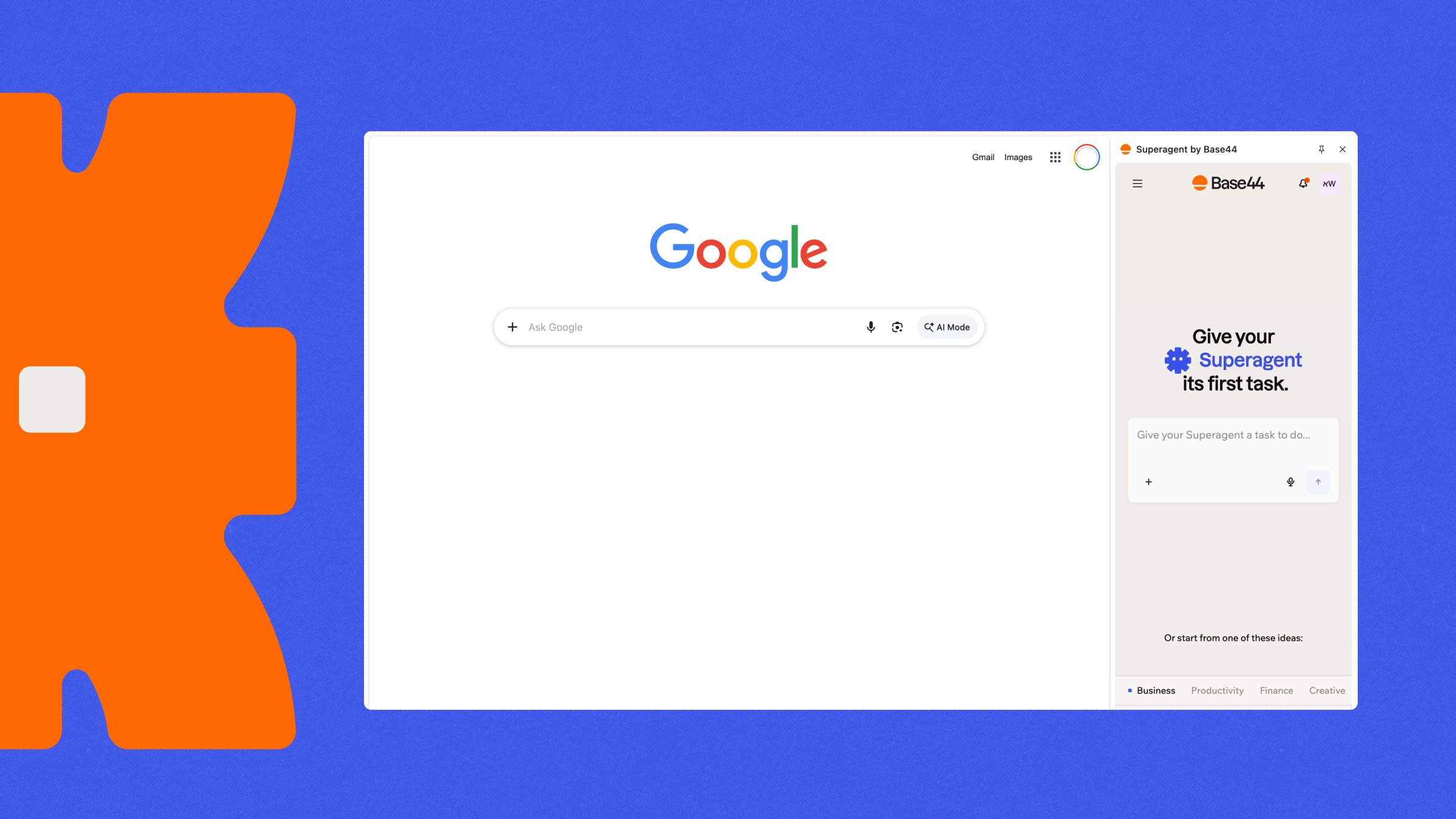
Your Superagent can research, look things up, and complete tasks on the web for you. It works right away from chat. If you want it to work directly in Chrome, install the **Superagent by Base44** browser extension.
 ***
## Giving your Superagent a task
Ask your Superagent to research something or complete a task online, just like you would ask it anything else in chat. No setup is required.
For example:
```text theme={null}
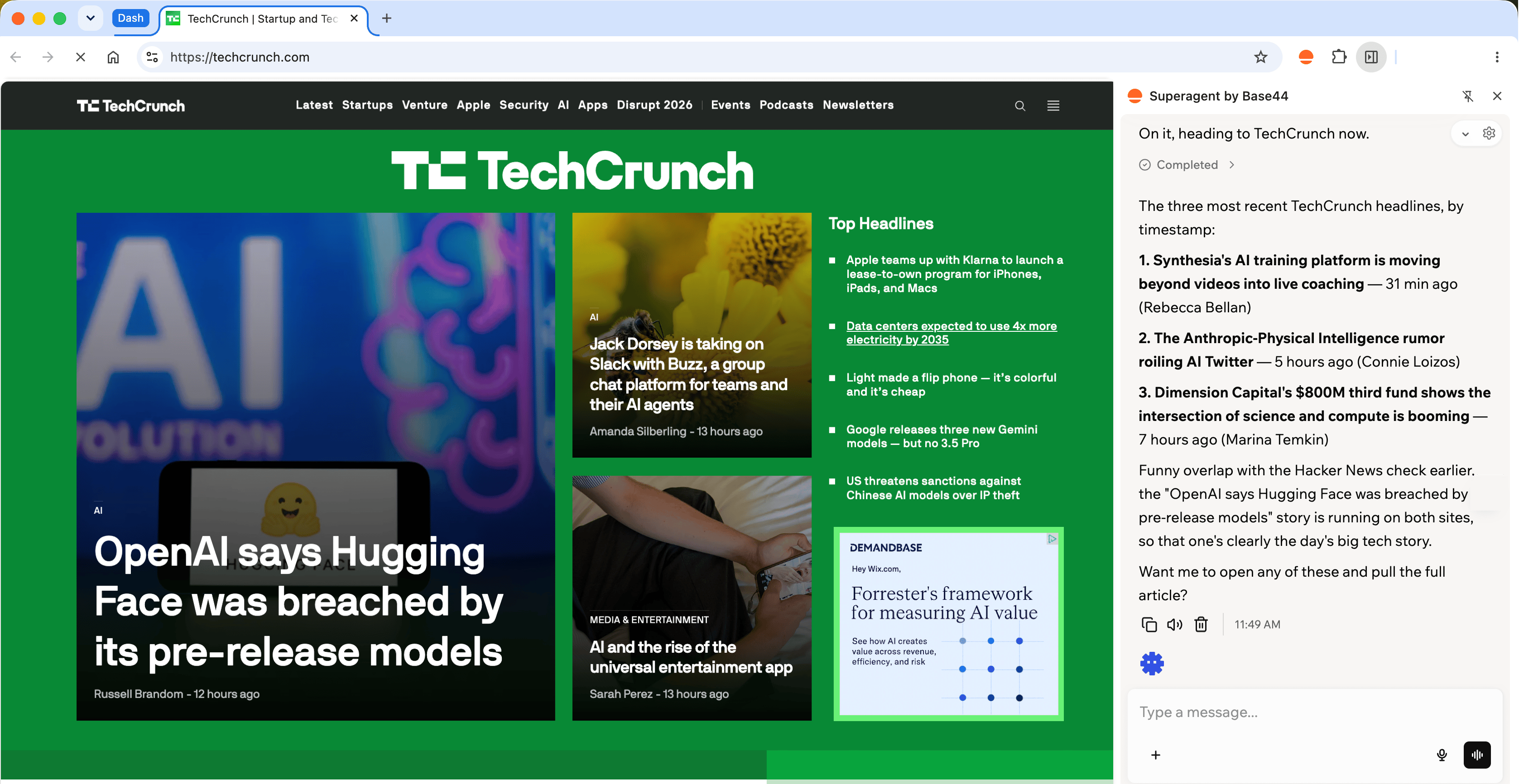
What's the latest news on TechCrunch?
```
```text theme={null}
Research the top three project management tools and compare their pricing.
```
```text theme={null}
Find the documentation for the Stripe API and summarize how webhooks work.
```
When your Superagent uses a browser to complete your task, a **Live Browser** view can open in the chat so you can follow along in real time. On desktop, the view opens next to your conversation. On mobile, it appears as a bar you can expand.
From the Live Browser view, you can:
* Expand the view.
* Open it in full screen.
* Close the view while your Superagent keeps working.
The Live Browser view closes on its own when your Superagent finishes the task.
Your Superagent can work on websites available through the public internet, including ones you are already logged in to. It cannot reach your local network or private network addresses, such as `localhost`.
***
## Using the browser extension
The **Superagent by Base44** browser extension lets your Superagent work directly in Chrome. It opens tabs, clicks, types, and reads pages on your behalf, while you watch what it is doing. Your Superagent can work with the sites you're already signed in to while completing tasks.
***
## Giving your Superagent a task
Ask your Superagent to research something or complete a task online, just like you would ask it anything else in chat. No setup is required.
For example:
```text theme={null}
What's the latest news on TechCrunch?
```
```text theme={null}
Research the top three project management tools and compare their pricing.
```
```text theme={null}
Find the documentation for the Stripe API and summarize how webhooks work.
```
When your Superagent uses a browser to complete your task, a **Live Browser** view can open in the chat so you can follow along in real time. On desktop, the view opens next to your conversation. On mobile, it appears as a bar you can expand.
From the Live Browser view, you can:
* Expand the view.
* Open it in full screen.
* Close the view while your Superagent keeps working.
The Live Browser view closes on its own when your Superagent finishes the task.
Your Superagent can work on websites available through the public internet, including ones you are already logged in to. It cannot reach your local network or private network addresses, such as `localhost`.
***
## Using the browser extension
The **Superagent by Base44** browser extension lets your Superagent work directly in Chrome. It opens tabs, clicks, types, and reads pages on your behalf, while you watch what it is doing. Your Superagent can work with the sites you're already signed in to while completing tasks.
 Log in to Base44 in the Chrome profile where you want to use the extension.
### Install the extension
Install **Superagent by Base44** from the Chrome Web Store, then log in to Base44 to connect it to your account.
**To install the extension:**
1. Go to the [**Superagent by Base44**](https://chromewebstore.google.com/detail/superagent-by-base44/cpebcpciinmbjhkdegmepiecekkkpggl) extension in the Chrome Web Store.
2. Click **Add to Chrome**.
3. Click **Continue to install**.
4. Review the permissions, then click **Add extension**.
5. Open the extension.
6. Click **Log in to Base44**.
7. Select the Superagent you want to use.
You can also reach the extension from Base44. Open your Superagent, click **Customize**, click **Channels**, and click **Install** next to **Browser extension**.
Pin the extension to your Chrome toolbar for quick access.
### Work in your browser
Ask your Superagent to complete a task in your browser, just like you would from chat. If you have more than one Superagent, you can switch between them at any time from the extension's side panel.
For example:
```text theme={null}
Check my analytics dashboard for this week's traffic.
```
Your Superagent opens its own Chrome tab group to complete the task, so it doesn't interrupt the tab you're using. You can watch each step as it works. Chrome displays its standard browser control banner while your Superagent performs actions.
Once the extension is connected, you can also start a browser task from another client, such as the Base44 mobile app. Chrome needs to stay open and connected. If it is not available, your Superagent uses the cloud browser instead, without your logged-in sessions.
***
## FAQs
No. Your Superagent browses the web from chat with no setup. Install the browser extension only if you want your Superagent to work in your browser.
The extension is available for Chrome.
No. Once you are logged in to Base44, the extension pairs with your account automatically.
Chrome shows its standard browser control banner while your Superagent is performing actions, and your Superagent works in its own tab group.
Your Superagent can access any site reachable at a public internet address, including sites you are already logged in to. It cannot access private network addresses, such as `localhost`, private IP ranges, or hostnames like `.local` and `.internal`. Whether a site counts as private depends on its network address, not its name, so an internal site hosted on a public domain is still reachable.
No. Only one Superagent session controls the browser at a time. The most recent session takes control.
If the extension is not connected, your Superagent browses from chat instead. You do not need to do anything, and it can still complete most tasks.
Right-click the extension icon in your Chrome toolbar, then select **Remove from Chrome**. You can also go to `chrome://extensions`, find **Superagent by Base44**, and click **Remove**.
Log in to Base44 in the Chrome profile where you want to use the extension.
### Install the extension
Install **Superagent by Base44** from the Chrome Web Store, then log in to Base44 to connect it to your account.
**To install the extension:**
1. Go to the [**Superagent by Base44**](https://chromewebstore.google.com/detail/superagent-by-base44/cpebcpciinmbjhkdegmepiecekkkpggl) extension in the Chrome Web Store.
2. Click **Add to Chrome**.
3. Click **Continue to install**.
4. Review the permissions, then click **Add extension**.
5. Open the extension.
6. Click **Log in to Base44**.
7. Select the Superagent you want to use.
You can also reach the extension from Base44. Open your Superagent, click **Customize**, click **Channels**, and click **Install** next to **Browser extension**.
Pin the extension to your Chrome toolbar for quick access.
### Work in your browser
Ask your Superagent to complete a task in your browser, just like you would from chat. If you have more than one Superagent, you can switch between them at any time from the extension's side panel.
For example:
```text theme={null}
Check my analytics dashboard for this week's traffic.
```
Your Superagent opens its own Chrome tab group to complete the task, so it doesn't interrupt the tab you're using. You can watch each step as it works. Chrome displays its standard browser control banner while your Superagent performs actions.
Once the extension is connected, you can also start a browser task from another client, such as the Base44 mobile app. Chrome needs to stay open and connected. If it is not available, your Superagent uses the cloud browser instead, without your logged-in sessions.
***
## FAQs
No. Your Superagent browses the web from chat with no setup. Install the browser extension only if you want your Superagent to work in your browser.
The extension is available for Chrome.
No. Once you are logged in to Base44, the extension pairs with your account automatically.
Chrome shows its standard browser control banner while your Superagent is performing actions, and your Superagent works in its own tab group.
Your Superagent can access any site reachable at a public internet address, including sites you are already logged in to. It cannot access private network addresses, such as `localhost`, private IP ranges, or hostnames like `.local` and `.internal`. Whether a site counts as private depends on its network address, not its name, so an internal site hosted on a public domain is still reachable.
No. Only one Superagent session controls the browser at a time. The most recent session takes control.
If the extension is not connected, your Superagent browses from chat instead. You do not need to do anything, and it can still complete most tasks.
Right-click the extension icon in your Chrome toolbar, then select **Remove from Chrome**. You can also go to `chrome://extensions`, find **Superagent by Base44**, and click **Remove**.