Connect your Base44 app to the tools you already use to sync data and automate everyday work.
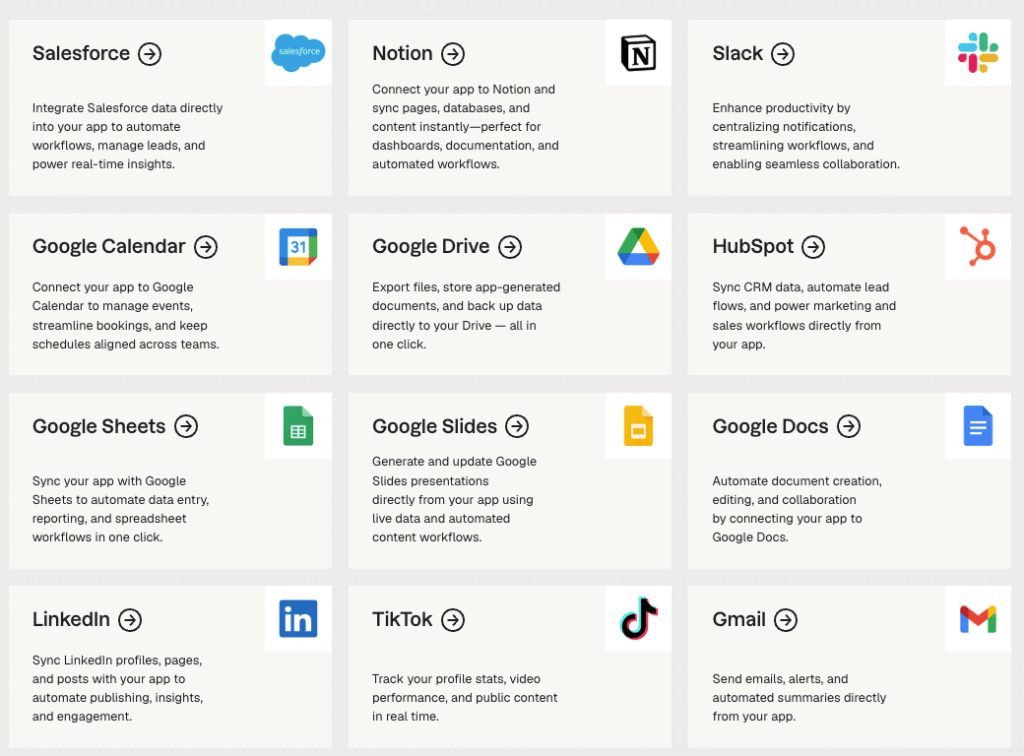
Examples of Base44 connectors, including Salesforce, Notion, Slack, and Google Calendar

Connect your Base44 app to your tools

You need a Builder plan or higher to use connectors.

Browse by category

Communication

Discord, Gmail, Google Meet, Microsoft Graph, Microsoft Teams, Outlook, Slack Bot, Slack User, Zoho Mail

Productivity

Asana, Basecamp, Calendly, ClickUp, Confluence, Google Calendar, Google Classroom, Google Contacts, Google Tasks, Google Workspace, Harvest, Jira, Linear, Miro, Notion, Todoist, Wrike

Content tools

Box, Contentful, Docusign, Dropbox, Google Docs, Google Drive, Google Photos, Google Sheets, Google Slides, Microsoft Excel, Microsoft OneNote, Microsoft PowerPoint, Microsoft Word, OneDrive, SharePoint, Wix, WordPress.com

Sales

Attio, HubSpot, Salesforce, Zoho CRM

Marketing

Google Search Console, Klaviyo, Mailchimp, Meta Ads, Omnisend

Social

Facebook Pages, Instagram Business, LinkedIn, TikTok, Twitch, X, YouTube

Analytics

Airtable, Databricks, Google Analytics, Google BigQuery, Google Forms, PostHog, Snowflake, Typeform

Finance

FreshBooks, Moneybird, Polar, QuickBooks, Splitwise, Square, Stripe, Wave

Business tools

BambooHR, Eventbrite, Gorgias, Gumroad, Intercom, Shippo

Developer tools

Bitbucket, Datadog, GitHub API, GitLab, Hugging Face, PagerDuty, Sentry, Supabase
Tell the AI chat what you want to connect and how you want to use it, and get relevant suggestions based on your app’s structure, pages, and data.

Communication

Let people link their Discord account to your app, and read their profile, server memberships, roles, and connected accounts.What you can do:
  • Link each person’s Discord account to their profile in your app.
  • Show the servers people belong to and their roles.
  • Unlock members-only pages for people in your Discord server.
Example prompts:
Permissions requested:
Send, read, and manage emails in Gmail.What you can do:
  • Send daily email digests.
  • Alert teammates when something changes.
  • Email summaries of activity.
Example prompts:
Permissions requested:
Connect Gmail to your app with one shared account, or let each person connect their own.
Create Google Meet meetings and view meeting details.What you can do:
  • Create meeting links.
  • View meeting details.
Example prompts:
Permissions requested:
Read your Microsoft 365 profile, read and send Outlook mail, work with OneDrive files and SharePoint sites, and manage calendar events and contacts.What you can do:
  • Read and send Outlook email.
  • Manage OneDrive files and SharePoint sites.
  • Manage calendar events and contacts.
Example prompts:
Permissions requested:
Send messages, manage channels, schedule meetings, and collaborate in Microsoft Teams.What you can do:
  • Send channel messages.
  • Create online meeting links.
  • Share updates.
Example prompts:
Permissions requested:
Send, read, and manage email and calendar events in Outlook and Microsoft 365.What you can do:
  • Send email summaries.
  • Create calendar events.
  • Check availability.
Example prompts:
Permissions requested:
Post messages as your Slack bot, with a custom name and icon, including in public channels it hasn’t joined.What you can do:
  • Send automated bot messages.
  • Post updates.
  • Trigger alerts.
Example prompts:
Permissions requested:
Set up Slack Bot or Slack User depending on whether your app acts as a bot or as a person.
Send messages and interact with Slack as yourself.What you can do:
  • Post updates to channels.
  • Notify teammates.
Example prompts:
Permissions requested:
Set up Slack User or Slack Bot depending on whether your app acts as a person or as a bot.
Read, send, and manage emails and folders in Zoho Mail.What you can do:
  • Read and search emails.
  • Send emails from your app.
  • Manage mail folders.
Example prompts:
Permissions requested:

Productivity

Create and manage Asana tasks and projects, and view portfolios and goals.What you can do:
  • Create and update tasks.
  • Organize projects and view portfolios.
  • Assign work to teammates.
Example prompts:
Permissions requested:
Manage Basecamp projects, to-do lists, messages, documents, and schedules.What you can do:
  • Manage to-do lists.
  • Post project messages.
  • Track schedules.
Example prompts:
Permissions requested:Full access. Basecamp doesn’t offer separate permissions, so connecting gives your app access to everything you can access in Basecamp.
See your Calendly availability, event types, and scheduled events.What you can do:
  • Show availability.
  • Track meetings.
  • Trigger workflows.
Example prompts:
Permissions requested:
Manage tasks, projects, and team workflows in ClickUp.What you can do:
  • Create tasks.
  • Track work.
  • Manage teams.
Example prompts:
Permissions requested:Your app can access ClickUp resources such as tasks, lists, and spaces, based on the permissions you already have in your workspace.
Read, search, and create content in Confluence.What you can do:
  • Access team docs.
  • Search the knowledge base.
  • Sync pages into your app.
Example prompts:
Permissions requested:
Access and manage Google Calendar events.What you can do:
  • Sync bookings.
  • Create events.
  • Check availability.
Example prompts:
Permissions requested:
Connect Google Calendar to your app with one shared account, or let each person connect their own.
Access courses, assignments, students, and class content in Google Classroom.What you can do:
  • Manage courses.
  • View assignments.
  • Track students.
Example prompts:
Permissions requested:
Read, create, and manage contacts in Google Contacts.What you can do:
  • Sync contacts with your app.
  • Save new people as contacts automatically.
  • Build a directory from your contacts.
Example prompts:
Permissions requested:
Connect Google Contacts to your app with one shared account, or let each person connect their own.
Create and manage tasks and task lists in Google Tasks.What you can do:
  • Create tasks.
  • Track progress.
  • Manage lists.
Example prompts:
Permissions requested:
Connect Gmail, Calendar, Contacts, Drive, Docs, and Sheets through one connection.What you can do:
  • Prepare for meetings with related emails, files, and contact details.
  • Draft follow-up emails using meeting information.
  • Summarize meetings and emails in documents and spreadsheets.
Example prompts:
Permissions requested:
Set up the Google Workspace connector with one shared account, or let each person connect their own.
Track time, manage projects and clients, and read or create invoices and expenses in Harvest.What you can do:
  • Track time entries.
  • Manage projects and clients.
  • Handle invoices and expenses.
Example prompts:
Permissions requested:
To grant access to one Harvest account only, request harvest: followed by that account’s ID.
Create, search, and update Jira Cloud issues, projects, comments, and worklogs.What you can do:
  • Track issues.
  • Manage project work.
  • Update issue statuses.
Example prompts:
Permissions requested:
Create and manage Linear issues, projects, and cycles, update issue status, and assign work.What you can do:
  • Create issues.
  • Track progress.
  • Manage workflows.
Example prompts:
Permissions requested:
Create and edit Miro boards, and manage your Miro team.What you can do:
  • Create boards and add sticky notes.
  • Show recent boards in your app.
  • Invite people to your team and update profiles.
Example prompts:
Permissions requested:
Access and manage Notion workspaces, pages, and databases.What you can do:
  • Sync databases.
  • Write pages.
  • Organize content.
Example prompts:
Permissions requested:
Plan tasks and projects from your app.What you can do:
  • Plan tasks.
  • Organize projects.
  • Track due dates.
Example prompts:
Permissions requested:
Manage projects, tasks, and team collaboration in Wrike.What you can do:
  • Plan projects.
  • Track tasks.
  • Generate reports.
Example prompts:
Permissions requested:

Content tools

Manage files, folders, and permissions in Box.What you can do:
  • Store files.
  • Manage folders.
  • Share content.
Example prompts:
Permissions requested:
Manage entries, assets, and content models in Contentful.What you can do:
  • Fetch content.
  • Manage entries.
  • Sync data.
Example prompts:
Permissions requested:
Create, send, and track documents for signature in Docusign.What you can do:
  • Send documents for signature.
  • Track signing status.
  • Manage signed documents.
Example prompts:
Permissions requested:
Upload, download, and manage files and folders in Dropbox.What you can do:
  • Upload files.
  • Sync content.
  • Organize storage.
Example prompts:
Permissions requested:
Create and edit Google Docs documents.What you can do:
  • Generate docs.
  • Fill templates.
  • Create notes.
Example prompts:
Permissions requested:
Connect Google Docs to your app with one shared account, or let each person connect their own.
Access, search, and manage files across your entire Google Drive.What you can do:
  • Save files.
  • Organize folders.
  • Back up data.
Example prompts:
Permissions requested:
Connect Google Drive to your app with one shared account, or let each person connect their own.
Access your Google Photos library, and upload and organize new photos from your app.What you can do:
  • Upload photos from your app.
  • Create albums and add uploaded photos to them.
  • Use photos you select with the Google Photos Picker.
Example prompts:
Permissions requested:
To use existing photos, select them with the Google Photos Picker. Outside the Picker, your app can read and edit only the photos and albums it created.
Read and write data in Google Sheets spreadsheets.What you can do:
  • Sync data.
  • Import and export.
  • Generate reports.
Example prompts:
Permissions requested:
Connect Google Sheets to your app with one shared account, or let each person connect their own.
Create and edit Google Slides presentations.What you can do:
  • Generate slides.
  • Fill templates.
  • Share decks.
Example prompts:
Permissions requested:
Read and write Excel workbooks, including worksheets, tables, ranges, charts, and calculations.What you can do:
  • Create spreadsheets.
  • Edit cells and sheets.
  • Automate workbooks from app data.
Example prompts:
Permissions requested:
Read and write OneNote notebooks, sections, and pages.What you can do:
  • Create notes.
  • Organize notebooks and sections.
  • Save app content to OneNote.
Example prompts:
Permissions requested:
Read, generate, and replace PowerPoint presentations stored in OneDrive or SharePoint.What you can do:
  • Create presentations.
  • Edit slides and layouts.
  • Generate decks from app data.
Example prompts:
Permissions requested:
Read, generate, and replace Word documents stored in OneDrive or SharePoint.What you can do:
  • Create documents.
  • Edit document content.
  • Generate documents from app data.
Example prompts:
Permissions requested:
Upload, download, and manage files and folders in OneDrive.What you can do:
  • Store files.
  • Sync data.
  • Access documents.
Example prompts:
Permissions requested:
Manage documents, lists, sites, and collaboration content in SharePoint.What you can do:
  • Store files.
  • Search documents.
  • Manage lists.
Example prompts:
Permissions requested:
Access site data, manage content, and work with Wix Stores, Bookings, and CRM.What you can do:
  • Manage site content.
  • Sync customers.
  • Track orders.
Example prompts:
Permissions requested:
Publish and manage posts, pages, media, and comments on WordPress.com sites.What you can do:
  • Create and publish posts and pages.
  • Upload media.
  • Review and manage comments.
Example prompts:
Permissions requested:

Sales

Read and update Attio records and lists, including companies and people, and read notes.What you can do:
  • View and update records.
  • Manage list entries.
  • Read notes.
Example prompts:
Permissions requested:
Access and manage HubSpot CRM data, including contacts, companies, deals, owners, tickets, and custom properties.What you can do:
  • Sync contacts.
  • Track deals.
  • Manage contact lists.
Example prompts:
Permissions requested:
The first time you connect, HubSpot shows a permissions checklist with nothing selected. Select the permissions you want to grant. Permissions your HubSpot plan doesn’t include are locked. Contact lists, line items, and products are often locked on lower-tier plans.
Manage Salesforce leads, opportunities, and records.What you can do:
  • Sync leads.
  • Track opportunities.
  • Manage pipelines.
Example prompts:
Permissions requested:
Manage CRM records, deals, and contacts from your app.What you can do:
  • Track leads and contacts.
  • Manage deals and pipeline stages.
  • Sync CRM records into your app.
Example prompts:
Permissions requested:

Marketing

Access search performance data, sitemaps, URL inspection, and indexing status for your sites.What you can do:
  • Track rankings.
  • Monitor clicks.
  • Analyze queries.
Example prompts:
Permissions requested:
Connect Google Search Console to bring search performance for the properties your Google account can access into your app.
Manage Klaviyo profiles and lists, and see campaigns, flows, and performance data.What you can do:
  • Sync profiles and lists.
  • See campaigns and flows.
  • Track engagement metrics.
Example prompts:
Permissions requested:
Run email campaigns and manage audiences from your app.What you can do:
  • Manage audiences and subscribers.
  • Create and send email campaigns.
  • Track campaign performance.
Example prompts:
Access details:Your app can reach the same Mailchimp data as the account you connect with.
Manage and analyze your Facebook and Instagram ads campaigns.What you can do:
  • Create and manage ad campaigns.
  • Manage budgets and audiences.
  • Track ad performance.
Example prompts:
Permissions requested:
Manage Omnisend contacts, events, and products, and view campaigns and automations.What you can do:
  • Manage contacts.
  • View campaigns and automations.
  • Track campaign results.
Example prompts:
Permissions requested:

Social

List the Facebook Pages you manage, read Page content and insights, publish posts, send messages, and manage ads.What you can do:
  • Publish page posts.
  • Manage page content.
  • Track post engagement.
Example prompts:
Permissions requested:
You can use the Facebook Pages you manage in Meta Business Manager.
Publish content and manage comments on Instagram Business accounts.What you can do:
  • Publish photos and videos to an Instagram Business feed.
  • Read, reply to, edit, and delete comments.
  • Read and reply to direct messages.
  • Access basic account details, such as username, ID, and media.
Example prompts:
Permissions requested:
You can publish feed posts and reply to direct messages from your Instagram Business account. Stories, Reels, and profile updates aren’t available.
Post updates as yourself or your company page, and manage company pages and ads on LinkedIn.What you can do:
  • Post updates.
  • Share content.
  • Manage company pages and ads.
Example prompts:
Permissions requested:
Connect LinkedIn to your app with one shared account, or let each person connect their own.
See your TikTok profile, stats, and videos, and send videos to your TikTok inbox to review and post.What you can do:
  • View stats.
  • Track followers.
  • Analyze content.
Example prompts:
Permissions requested:
Manage your Twitch channel, automate chat, and moderate your community.What you can do:
  • Manage channel info and streams.
  • Automate chat messages.
  • Moderate your community.
Example prompts:
Permissions requested:
Post, search, and manage content on X.What you can do:
  • Publish and manage posts.
  • Search posts and look up profiles.
  • Save posts to your bookmarks.
Example prompts:
Permissions requested:
X is a shared connector. You sign in with your own X account, and each request your app makes to X uses integration credits.
Read your YouTube channel and video data, and manage playlists, comments, and video details.What you can do:
  • Show channel and video stats.
  • Moderate comments.
  • Edit video details and manage playlists.
Example prompts:
Permissions requested:

Analytics

View Airtable bases and tables, and manage records.What you can do:
  • Sync records.
  • Browse tables.
  • Build workflows.
Example prompts:
Permissions requested:
Run notebooks, execute SQL, and manage data pipelines in Databricks.What you can do:
  • Query Databricks data.
  • Build dashboards from Databricks data.
  • Run notebooks and data pipelines.
Example prompts:
Permissions requested:
Access details:Your app can reach the same Databricks data as the account you connect with.Set up a Databricks OAuth app and register the connector so your app can query your workspace.
Access and analyze website traffic, user behavior, and marketing performance data.What you can do:
  • View traffic.
  • Monitor engagement.
  • Generate reports.
Example prompts:
Permissions requested:
Run SQL queries and read data in your BigQuery data warehouse.What you can do:
  • Run queries.
  • Analyze data.
  • Build dashboards.
Example prompts:
Permissions requested:
See, edit, create, and delete Google Forms, and read form responses.What you can do:
  • Create and edit forms.
  • Collect responses.
  • Summarize response data.
Example prompts:
Permissions requested:
Bring PostHog analytics into your app, including saved insights, dashboards, event definitions, persons, and cohorts.What you can do:
  • View saved insights.
  • Browse dashboards and cohorts.
  • Review event definitions.
Example prompts:
Permissions requested:
Query data and run analytics in Snowflake.What you can do:
  • Query Snowflake data.
  • Build dashboards from Snowflake data.
  • Run analytics on your warehouse data.
Example prompts:
Permissions requested:Your Snowflake admin sets access in Snowflake. The connection uses the Snowflake role assigned to the identity you sign in with.Set up Snowflake OAuth and register the connector so your app can query your warehouse.
Create and manage forms, surveys, and quizzes, and collect responses.What you can do:
  • Collect data.
  • Trigger workflows.
  • Analyze responses.
Example prompts:
Permissions requested:

Finance

Work with FreshBooks clients, invoices, projects, expenses, credit notes, estimates, uploads, and time entries.What you can do:
  • Create and send invoices.
  • Track expenses.
  • Manage clients.
Example prompts:
Permissions requested:
Read and write Moneybird sales invoices, estimates, documents, contacts, bank transactions, and time entries.What you can do:
  • Create and send sales invoices and estimates.
  • Manage contacts.
  • Track bank transactions.
Example prompts:
Permissions requested:
Manage Polar products, checkouts, orders, subscriptions, customers, benefits, and discounts to sell from your app.What you can do:
  • Manage products and subscriptions.
  • Track orders and revenue.
  • Grant benefits to customers.
Example prompts:
Permissions requested:
Manage invoices, expenses, customers, and accounting in QuickBooks Online.What you can do:
  • Create and manage invoices.
  • Track expenses and payments.
  • Manage customers and accounting data.
Example prompts:
Permissions requested:
Track expenses.What you can do:
  • Track balances.
  • Split bills.
  • Manage expenses.
Example prompts:
Permissions requested:
Process payments, manage inventory, customers, and orders with Square.What you can do:
  • Process payments.
  • Manage inventory and catalog.
  • Track orders and customers.
Example prompts:
Permissions requested:
Sell products or subscriptions and get paid online.Learn more about setting up StripeWhat you can do:
  • Sell subscriptions or one-time products.
  • Trigger workflows after successful payments.
  • Connect purchases to your app data.
Example prompts:
Permissions requested:Your app gets read and write access to payments, customers, and checkout sessions.
Manage Wave invoices, estimates, customers, products, and sales tax, and create transactions.What you can do:
  • Send invoices and estimates.
  • Manage customers and products.
  • Create transactions.
Example prompts:
Permissions requested:

Business tools

Manage employees.What you can do:
  • View directory.
  • Track time off.
  • Manage HR data.
Example prompts:
Read and manage Eventbrite events, attendees, orders, and organizations.What you can do:
  • List and create events.
  • Track attendees and orders.
  • Show ticket sales.
Example prompts:
Permissions requested:Eventbrite doesn’t offer separate permissions. Connecting gives your app access to the events, attendees, orders, and organizations your account can access.
Manage Gorgias tickets and customer profiles, and view helpdesk users.What you can do:
  • Manage support tickets.
  • Track customer conversations.
Example prompts:
Permissions requested:
Access Gumroad products, sales, payouts, and customer data.What you can do:
  • Sell digital products.
  • Track sales and revenue.
  • Manage products and customers.
Example prompts:
Permissions requested:
Access Intercom contacts, companies, conversations, tickets, articles, and support data.What you can do:
  • Manage support tickets.
  • Track customer conversations.
  • Respond to customers.
Example prompts:
Permissions requested:
Compare carrier rates, buy shipping labels, track packages, and validate addresses in Shippo.What you can do:
  • Compare rates and buy labels.
  • Track packages.
  • Validate addresses.
Example prompts:
Permissions requested:

Developer tools

Read and write Bitbucket Cloud repositories, pull requests, issues, pipelines, and commits.What you can do:
  • Manage repositories and pull requests.
  • Create and track issues.
  • Monitor pipeline runs.
Example prompts:
Permissions requested:
Access Datadog dashboards, monitors, incidents, hosts, and events.What you can do:
  • Track monitor statuses.
  • Chart metrics over time.
  • Review hosts, events, and incidents.
Example prompts:
Permissions requested:
Work with GitHub repositories, issues, and pull requests.What you can do:
  • Track pull requests.
  • Manage repositories.
  • Create issues.
Example prompts:
Permissions requested:
The repo scope is requested only when you choose Read & write or select it under Custom for a shared connector, or select it under Scopes for an app user connector.Connect GitHub to your app to read profile and organization data, or add read and write access to your repositories.
Access and manage GitLab projects, issues, merge requests, pipelines, and repositories.What you can do:
  • Track merge requests.
  • Run pipelines.
  • Manage repositories.
Example prompts:
Permissions requested:
Use Hugging Face models and datasets in your app.What you can do:
  • Run models.
  • Analyze data.
  • Build AI features.
Example prompts:
Permissions requested:
Manage PagerDuty incidents, schedules, and status pages.What you can do:
  • Open and manage incidents.
  • Check on-call schedules.
  • Post status page updates.
Example prompts:
Permissions requested:
Monitor issues, events, projects, releases, and application health in Sentry.What you can do:
  • Track issues and errors.
  • Monitor releases.
  • Review event details.
Example prompts:
Permissions requested:
Read and write data, schemas, and settings in Supabase projects.What you can do:
  • Browse projects, schemas, and tables.
  • Create tables and add columns.
  • Read, add, update, and delete records.
Example prompts:
Permissions requested: