

Good to know:
- Workspace SSO needs an Enterprise plan (Business or Enterprise). Workspaces created before October 1, 2026 keep their earlier plan requirement.
- When SSO is enabled, anyone with a verified email domain sees SSO on the login page. After they sign in, they are automatically added to the workspace with the default role you configure.
Supported SSO providers
Choose your provider to set it up, or follow the general SSO setup guide.Google Workspace
Microsoft Entra ID
Okta
GitHub
Any OIDC provider
Verifying domains
Verified domains control which people see SSO on the login page. When you verify a domain, any user with a matching email address is prompted to sign in with SSO automatically. This includes members who have been invited to your workspace but have not yet signed in for the first time. You can add as many domains as you need, which is useful if your organization has multiple email domains. To add a verified domain:- Click your workspace name at the bottom left of your account.
- Click Settings.
- Click Authentication.
- In the Verified Domains section, type your domain (for example, company.org) and click Verify.
- Add the DNS TXT record shown to your domain provider and wait for it to propagate.
Adding a verified domain does not affect members already added via SCIM or invitation. It only controls SSO discovery on the login page.
Setting a default role
When a user signs in with SSO for the first time and is added to your workspace automatically, they receive the default role you configure here. This applies only to people added through just-in-time (JIT) provisioning, not to members already added via SCIM or invitation. Setting the default role to No access instead turns away anyone who is not already a workspace member when they sign in, rather than adding them automatically. Existing members and pending invites are not affected. To set the default role:- Click your workspace name at the bottom left of your account.
- Click Settings.
- Click Authentication.
- Under Default role for SSO auto-provisioned users, select No access, Viewer, or Editor from the dropdown.
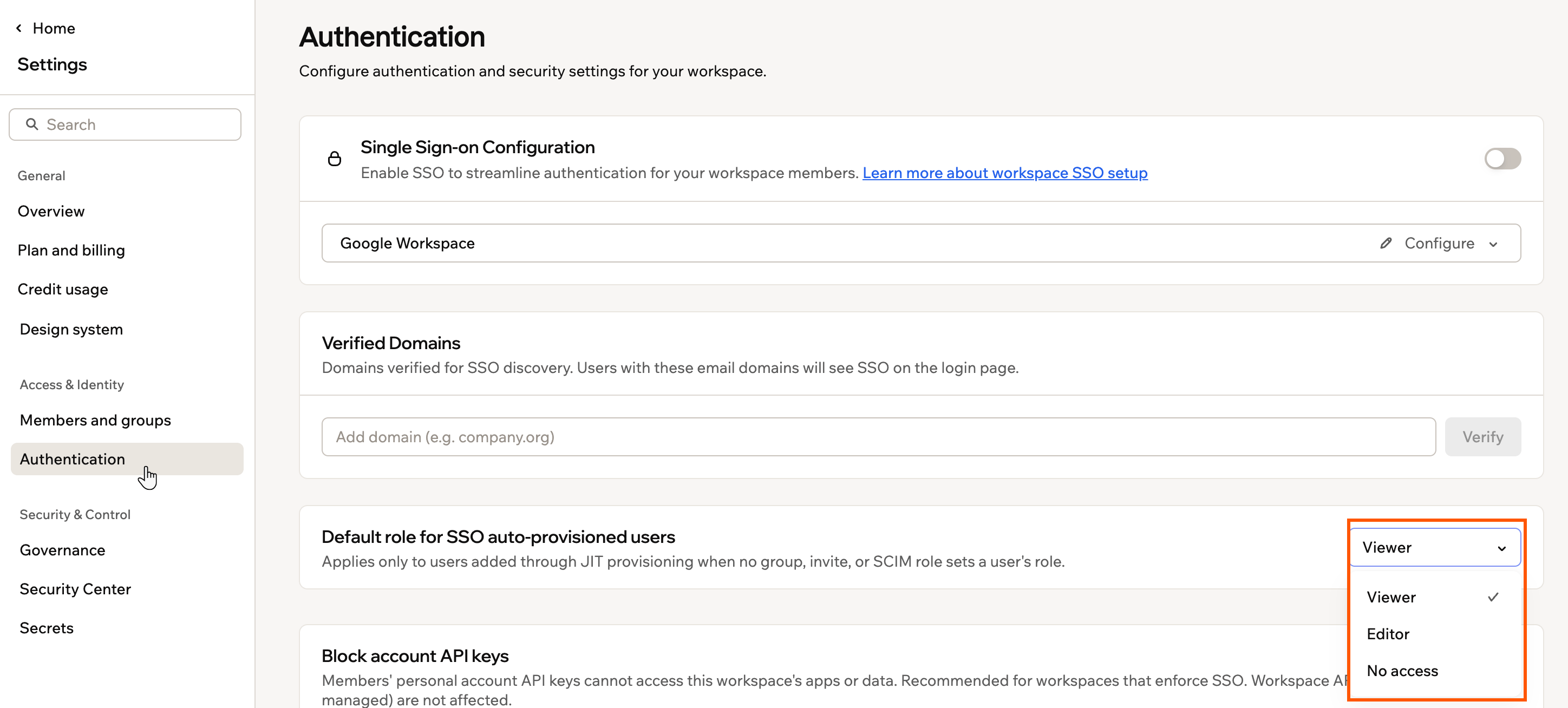
The default-role dropdown in Authentication, showing No access, Viewer, and Editor
Requiring SSO
By default, members can sign in to your workspace either through SSO or with the login method set on their Base44 account. To tighten access, you can require every workspace member to sign in through your SSO provider. This is different from enforcing SSO for all apps, which controls how your published app’s users sign in, not how your workspace members sign in. To require SSO for all workspace members:- Click your workspace name at the bottom left of your account.
- Click Settings.
- Click Authentication.
- Turn on Require SSO for all workspace members.
- Select Exempt guests from SSO if guest members should keep signing in with a password or Google.
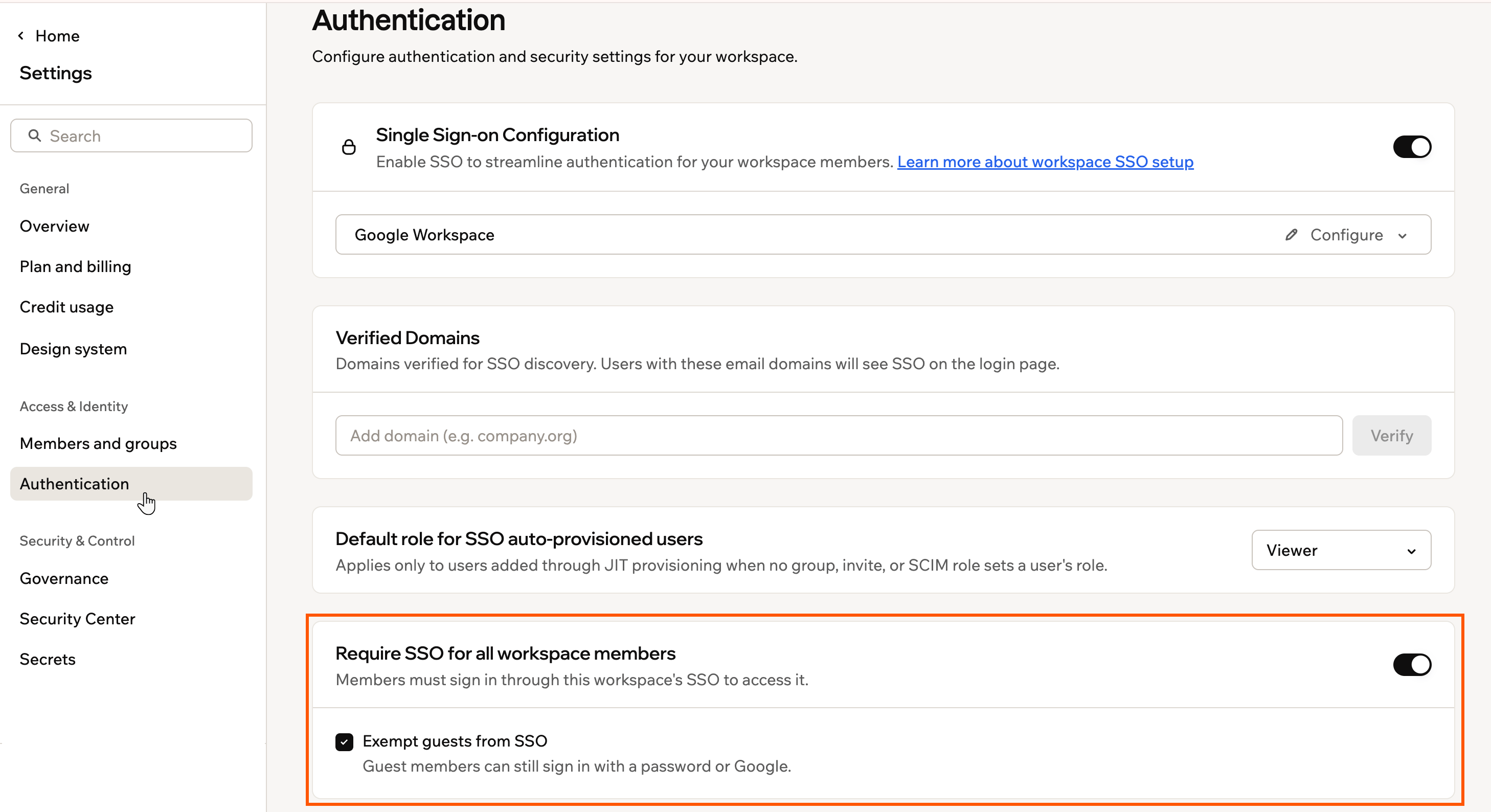
Requiring SSO for workspace members
Requiring SSO applies only after a workspace admin completes a successful SSO sign-in. Until then, the setting shows Not active yet, so you can’t lock yourself out.
Signing in with SSO
How members reach the right workspace depends on their accounts and how many SSO workspaces they belong to.Using a personal account
If a member was invited through your SSO provider and also has a personal Base44 account registered with the same email, they see 2 options on the login screen:- Sign in with SSO: Takes them to your organization’s workspace.
- Sign in with email and password: Takes them to their personal workspace.
Using several SSO workspaces
If a member belongs to 2 or more workspaces that use SSO, even with different providers, they see a workspace picker at login to choose where to go. Inside their Base44 account, they can also use the workspace switcher to move between workspaces.Requiring two-factor authentication
Two-factor authentication (2FA) adds a second check, such as a code from an authenticator app, each time someone signs in to Base44. As a workspace owner or admin, you can require every member to have it on their Base44 account before they can open your workspace.What happens for members:
- Members without two-factor authentication can’t open your workspace until they turn it on. They can still sign in to Base44 and use their other workspaces, and they get an email with a link to set it up.
- Members who must sign in with SSO aren’t affected, because your identity provider handles their 2FA. If SSO is optional in your workspace, members still need two-factor authentication.
- Guests who don’t sign in with SSO need two-factor authentication too.
- If anyone, including you, turns off two-factor authentication later, they lose access to your workspace until they turn it back on.
- If you lose access, turn two-factor authentication back on to get back in. Another owner or admin can also turn off the requirement, and if you can no longer use your 2FA method, contact Customer Care to reset it.
- Click your workspace name at the bottom left of your account.
- Click Settings.
- Click Authentication.
- Turn on the Require two-factor authentication toggle.
- Review the members who will lose access, then click Require 2FA.
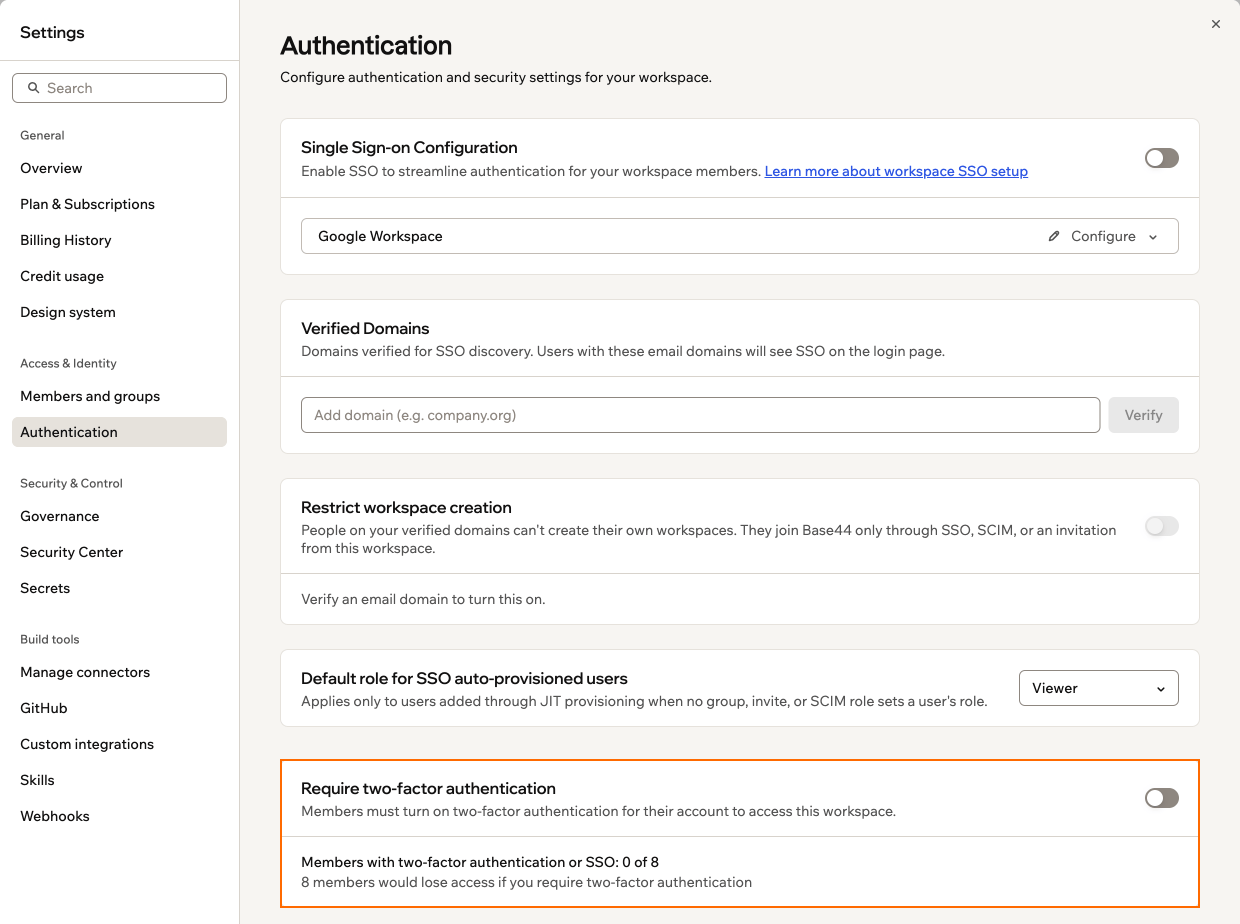
Requiring two-factor authentication for workspace members
FAQs
Select a question below to learn more.Can I enable SSO for only some members of my workspace?
Can I enable SSO for only some members of my workspace?
No. Once SSO is enabled for your workspace, all members with a matching email domain are required to use SSO for login.
How do I test that SSO is working after setup?
How do I test that SSO is working after setup?
Invite a colleague with the approved email domain to log in using SSO. If they can sign in and are added as a member, your SSO configuration is working.
Can I disable SSO later if my organization's needs change?
Can I disable SSO later if my organization's needs change?
Yes. Workspace admins can disable SSO from Authentication in your workspace settings at any time.