

Only workspace owners and admins can configure the workspace domain.
Setting up your workspace domain
Enter your organization’s domain in your workspace settings to get started. Base44 generates a TXT record you need to add to your domain provider to verify ownership. To set up your workspace domain:- Click your workspace name at the bottom left of your account.
- Click Settings.
- Click Authentication.
- Under Verified Domains, enter your domain in the Add domain field.
- Click Verify.
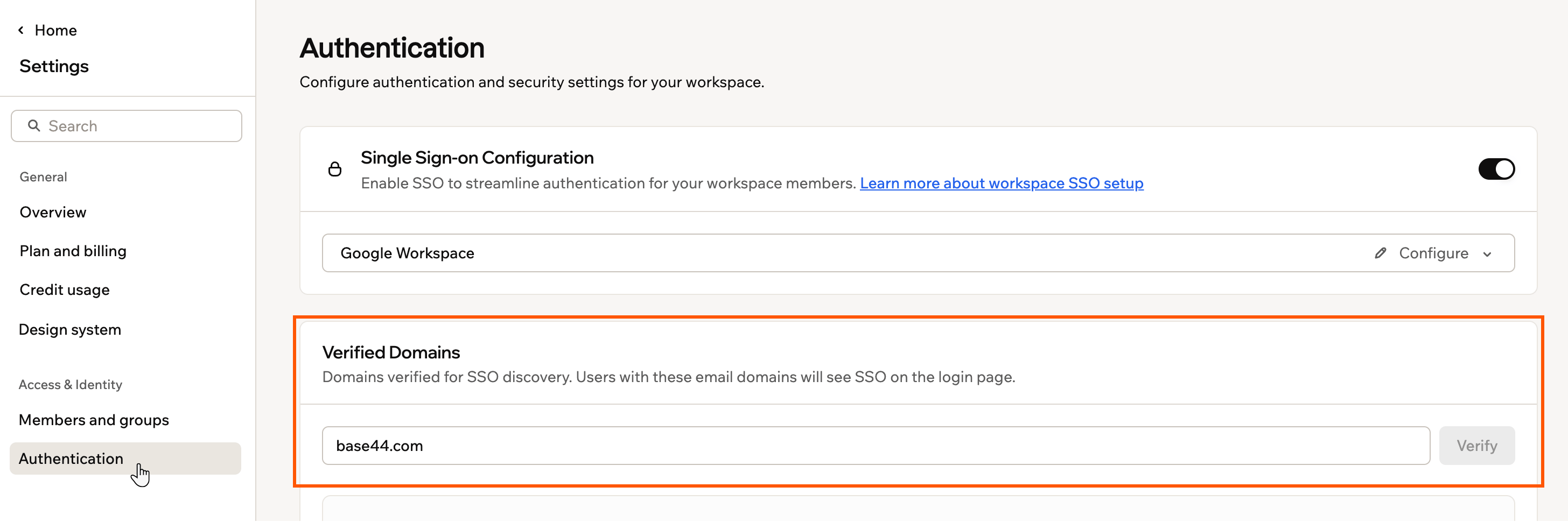
Adding your workspace domain in Base44
Verifying your domain
Verifying your domain confirms that you control it and allows Base44 to use it for access policies and SSO. You do this by adding a TXT record to your domain provider’s DNS settings.DNS verification can take a few minutes depending on your domain provider. Once your DNS records are updated, Base44 automatically verifies your domain. If verification does not complete, click Reset to generate a new TXT record and try again.
- After running a check (see above), copy the Host / Name and Value details shown in the Add DNS records panel.
- In a new tab, sign in to your domain provider.
- Go to the DNS settings for your domain.
- Add a new TXT record using the exact Host / Name and Value shown in your workspace.
- Save your DNS changes.
- Return to your workspace settings. Base44 checks your DNS records automatically and updates the status under Domain Verification.
Verifying your workspace domain with a DNS TXT record
FAQs
Click a question below to learn more.Can I change my workspace domain after I set it?
Can I change my workspace domain after I set it?
Yes. You can update your verified domains from Authentication in your workspace settings at any time. After adding a domain, you need to verify it.
What happens if verification doesn't complete?
What happens if verification doesn't complete?
DNS changes can take a few minutes to propagate. If verification has not completed after some time, click Reset in the Domain Verification section to generate a new TXT record and try again. If the issue continues, check that the TXT record was added correctly in your domain provider’s DNS settings.
How does the workspace domain relate to SSO?
How does the workspace domain relate to SSO?
Verifying your workspace domain is required before you can use domain-based access rules with SSO. Once verified, new members with your approved email domain can be automatically added to your workspace. Learn more about setting up SSO for your workspace.