

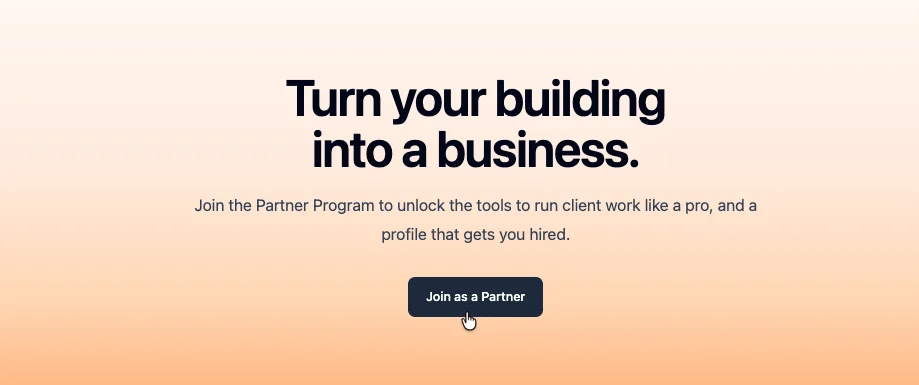
Joining the Base44 Partner Program
Ready to join as a partner?
Go to Base44 Partners and join the program.
Joining the Partner Program
Once you reach Maker (Level 2), you can join the program, set up your partner profile, and unlock tools for managing client projects. If your workspace is on the Pro plan or higher, an owner or admin can also sponsor you as an agency partner, so you can join without reaching Maker. To join the Partner Program:- Go to Base44 Partners.
- Click Join as a Partner.
- On the Partner Program page, click Join as a Partner again.
- In the Join the Partner Program dialog, click Continue.
- Set up your partner profile:
- Choose whether you are joining as an Individual or Agency.
- Add your name and short description.
- Set your location, pricing, services you offer, and languages.
- Click Join the program.
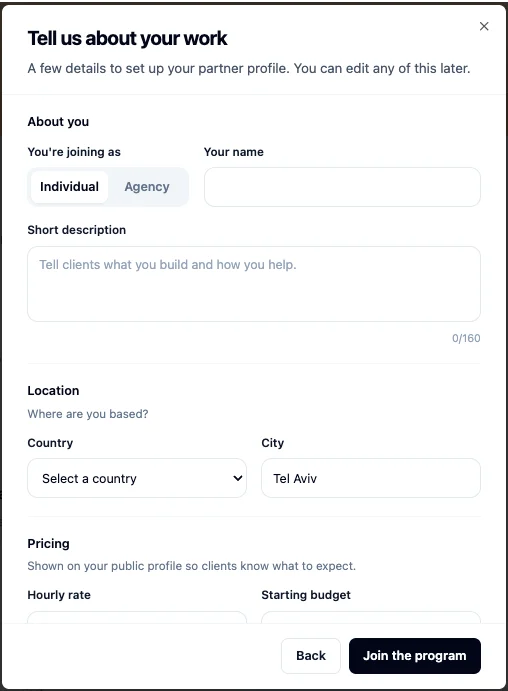
Setting up your partner profile
By joining the Partner Program, you agree to the Base44 Partner Terms of Use.
Using partner tools
When you join the Partner Program, you unlock tools for managing client work, setting up your partner profile, and growing your visibility on Base44.Unified workspace view
Manage apps across client workspaces from one place.
App transfer
Transfer a finished app to a client workspace when the project is complete.
Credit delegation
Use your own Base44 credits while working in a client workspace.
Public rate & contact
Show your rate on your Base44 profile and let clients contact you.
Early access
Get access to selected new Base44 features before wider release.
Partner webinars & content
Access partner-only webinars and guides for running client work.
Client conversations
Reply to client enquiries, and set up an agent to answer for you.
Partner channels
Chat with other Base44 partners about ideas and collaborations.
Unlocking more as you level up
Build your reputation as you complete milestones and grow your Base44 profile. As you reach higher levels, you unlock more ways to get discovered, build trust, and reach clients. Public discovery benefits unlock when you reach Specialist (Level 3).Partner Directory listing
Your public partner profile can appear in the Partner Directory, where clients can find you by service, language, and location.
Verified Partner badge
Your Base44 profile shows a Verified Partner badge, helping clients recognize you as a Base44 Partner.
Creating your partner profile
Your partner profile is how clients find you and decide to get in touch, and you create it on your Base44 profile after joining the Partner Program. Under Work & rates, you set how you want to be hired, and you can come back and update any of it whenever your rates or services change.Your Client Management Agent introduces you and gives ballpark quotes using these details, so keeping your rate, minimum, and expertise current matters even when you are not reading every request yourself.
- In your workspace, click your profile icon.
- Click View Profile.
- Click Edit profile.
- Scroll to Work & rates and turn on the Show on profile toggle to display these details publicly.
- Leave the Open to new project requests toggle on while you are taking work. Turn it off to pause new requests.
- Enter your Hourly rate, or leave it blank to show “Rate on request” instead.
- Enter your Project minimum, the smallest project you take. It appears on your profile as “Starting from $X”.
- Choose your Typical response time, shown on your profile so clients know what to expect.
- Select your Expertise, the services you offer. These become the tags on your partner card, and clients can filter the Partner Directory by them.
- Select the Languages you work in. Clients can filter the directory by these too.
FAQs
Click a question below to learn more about the Base44 Partner Program.Who can join the Base44 Partner Program?
Who can join the Base44 Partner Program?
Anyone! Once you reach Maker (Level 2), you can join the Partner Program, so keep building and it will not take long.
How do I check my builder level?
How do I check my builder level?
Go to your Base44 profile and open Milestones. You can see your current level and what you need to complete to reach the next level.
Do I need approval to join?
Do I need approval to join?
No. Once you reach Maker (Level 2), you can join the Partner Program from Base44 Partners. You do not need approval to join.
Can I join before reaching Maker?
Can I join before reaching Maker?
No. You need to reach Maker (Level 2) before you can join the Partner Program.
Am I listed in the Partner Directory as soon as I join?
Am I listed in the Partner Directory as soon as I join?
No. You can join the Partner Program at Maker (Level 2). Once you reach Specialist (Level 3), your public partner profile can appear in the Partner Directory.
When do I get the Verified Partner badge?
When do I get the Verified Partner badge?
Once you reach Specialist (Level 3), your Base44 profile shows a Verified Partner badge.
Can I update my partner profile after joining?
Can I update my partner profile after joining?
Yes. You can update your partner profile from your Base44 profile. Edit your bio, apps, services, pricing, response time, and availability.