

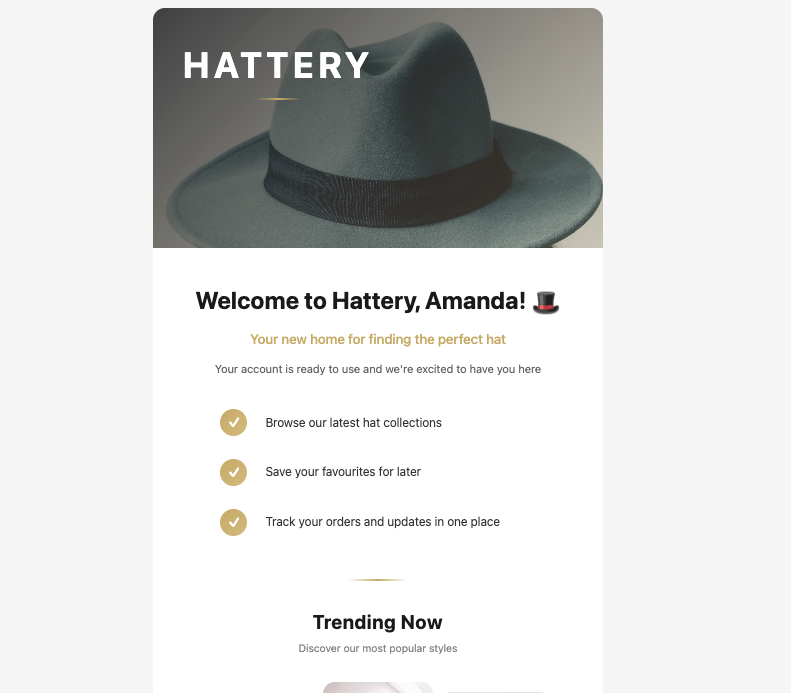
A welcome email sent from a Base44 app
Base44 built-in emails
Base44’s built-inSendEmail integration comes preinstalled in every app and needs no extra setup or API keys. It lets you send transactional emails from your app, customize the sender name that appears in the recipient’s inbox, and include plain text or rich HTML content in the email body.
You can ask the AI chat to set this up for you, for example by saying When someone signs up, send them a welcome email. Base44 calls the built-in email integration, which you can edit and test using the AI chat or from Code in your dashboard.
To make these emails look like your app, design them from Emails in your dashboard. Learn more about designing your app’s emails. Marketing emails include an unsubscribe link, and people who use it stop getting your app’s marketing emails. Find out how unsubscribes work.
Who you can email
Who your app can email depends on whether the person has signed up to your app:- People who’ve signed up: Your app can email them on any plan, including the Free plan.
- People who haven’t signed up: Your app needs a paid plan and a custom domain connected and verified. This is the domain your app is served on, not a custom email sending domain. Each of these emails goes to one recipient at a time.
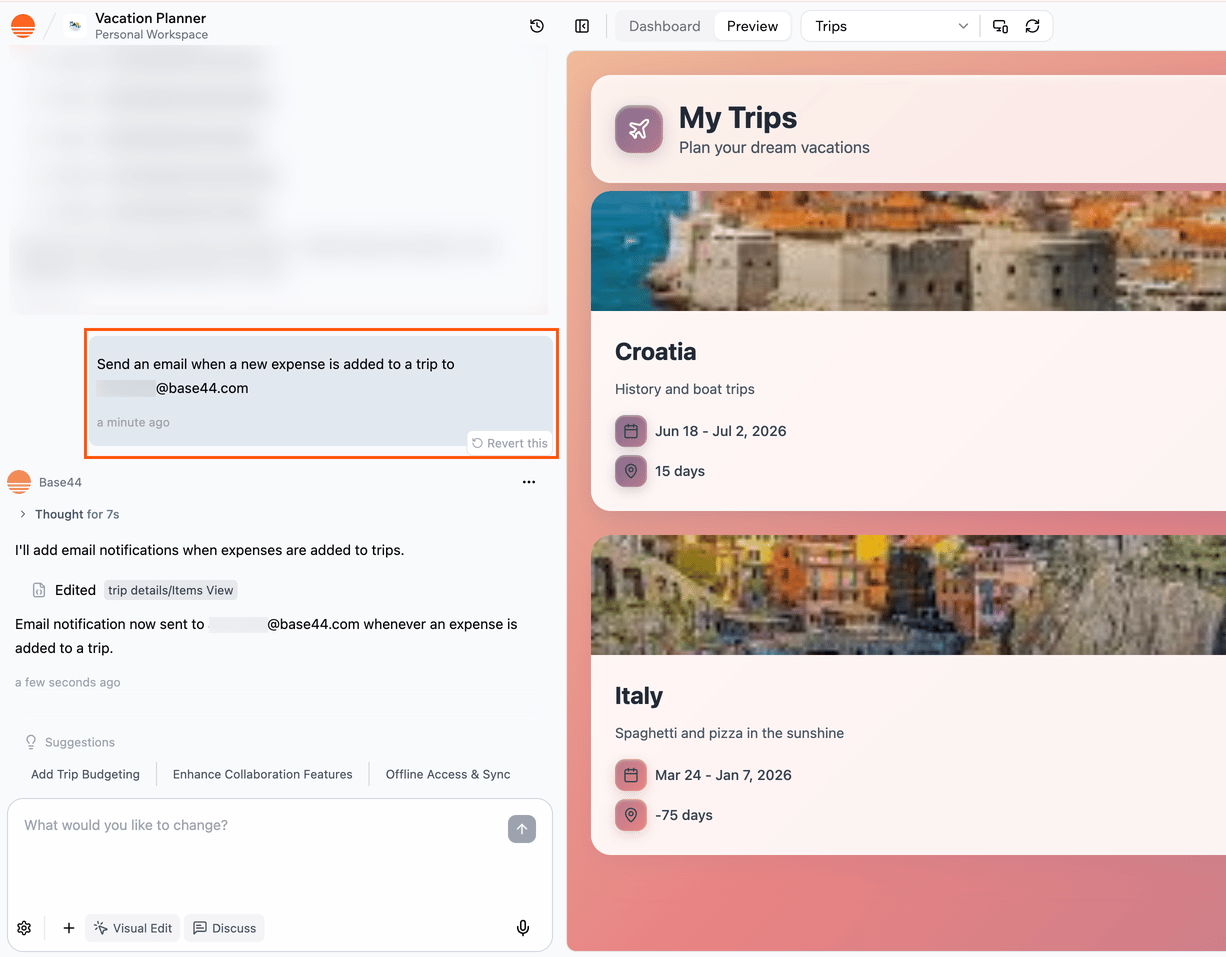
Setting up email with the AI chat
Notes:
- Built-in emails can include up to 5 file attachments, such as PDFs, images, CSV, Word, or Excel files, up to 5 MB each and 10 MB in total.
- If you want built-in emails to come from a branded address instead of a generic sender, you can connect a custom email domain so messages send from an address like support@your-domain.com. See more below.
- Standard emails that use the default sending domain typically consume ~1 integration credit per email, while emails sent from a custom email domain consume ~2 integration credits.
Daily sending limits
How many built-in emails your app can send each day depends on whether the people you’re emailing have signed up to your app. These limits reset the next day. Emails to people who haven’t signed up also have an hourly limit, and if your app keeps trying to send over it, those emails are paused for a few hours. Emails to people who’ve signed up keep working. To send newsletters or other high-volume emails, use the Resend integration.Changing the sender name
Built-in emails come fromno-reply@base44-apps.com and show your app’s name as the sender. To show a different name in people’s inboxes, ask the AI chat. This changes only the name, not the email address. For example:
Resend external integration
Resend is an external email delivery service that you connect to Base44. When you use Resend, emails are sent through your own Resend account rather than Base44’s built-in email delivery.Note: Resend is an external service, and Base44 does not provide support for issues related to Resend.
Note: The Resend integration is available on the Builder plan and above.
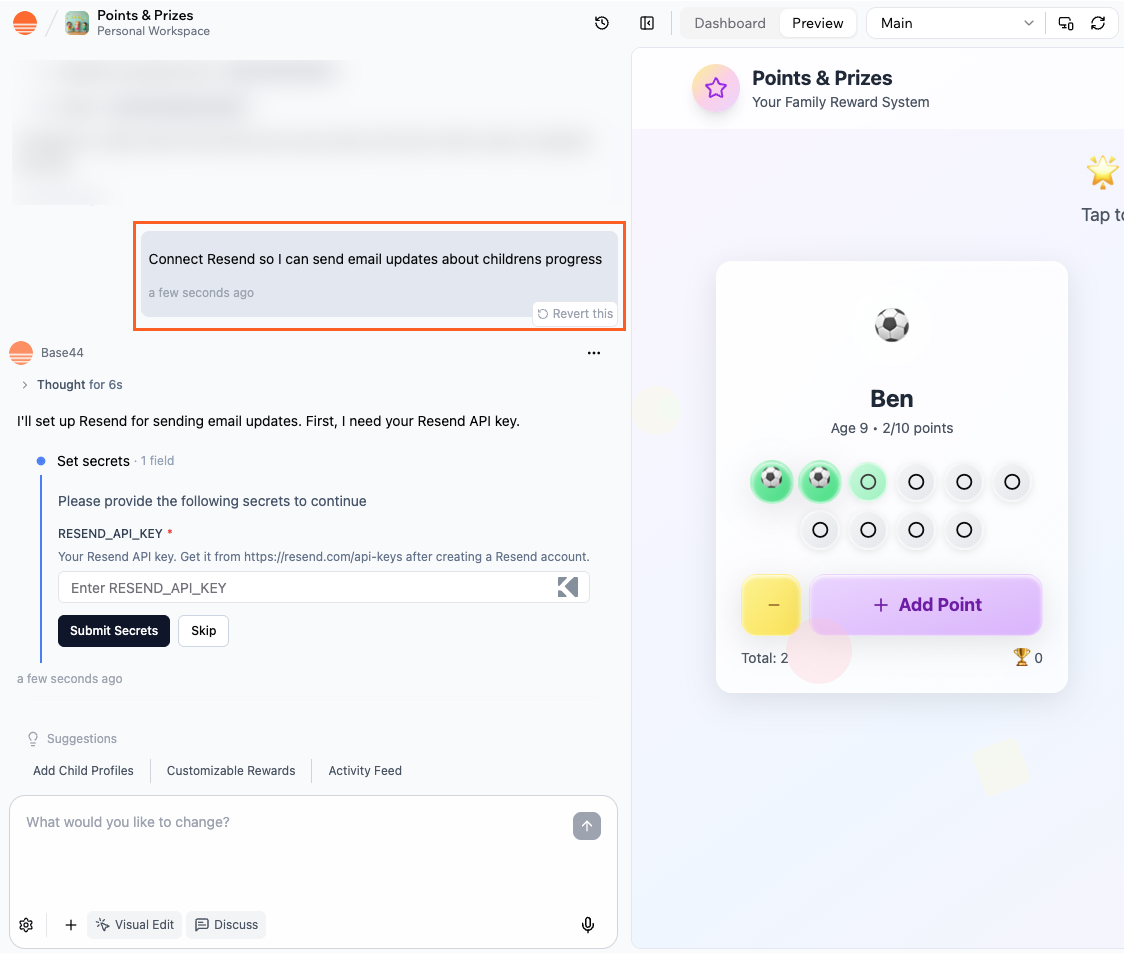
Setting up Resend
Automated emails
Use workflows to send emails automatically, on a schedule or when something happens in your app. For example, send a welcome email when someone signs up, a follow-up 2 days later, or a summary every Monday morning. To set one up, ask the AI chat, for exampleWhen someone signs up, send them a welcome email, then a tips email 2 days later. The AI designs each email in your app’s style and adds it to a workflow as a Send email step. You can see and manage your workflows from Workflows in your app’s dashboard, and the emails themselves from Emails.
Learn more about creating workflows and designing your app’s emails.
Workflows are available on the Builder plan and above. If your app still uses automations, you can switch them to workflows.
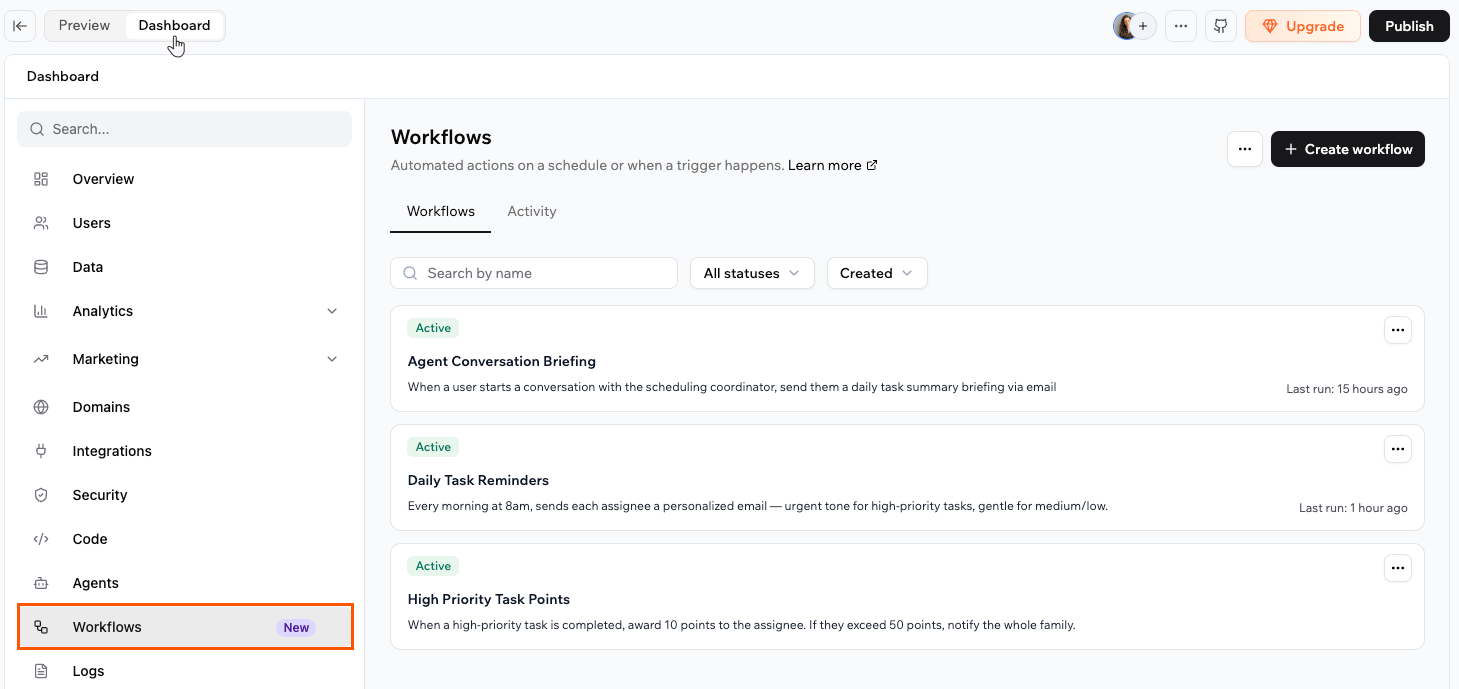
Workflows that send emails from your Base44 app
Emailing form submissions
When someone fills in a form in your app, such as a contact form, each submission is saved as a record in your app’s data. You can see every submission on the Data page, and you can also have the details emailed to you or send a confirmation to the person who filled in the form. Each email uses integration credits, like any other built-in email. There are 2 ways to set this up. Ask the AI chat for a simple email each time someone submits the form, or use a workflow when you want more steps:Ask the AI chat to email you
Ask the AI chat to email you
Describe the form, who should get the email, and what it should include. For example:The AI sets this up using the built-in email integration. Send a test submission from your app to check that the email arrives.
Send the email from a workflow
Send the email from a workflow
Use a workflow when you want more than one step, such as emailing yourself and then following up with the person a few days later. Ask the AI chat, for example:The workflow starts each time a new submission is saved. Learn more about workflows that react to your data.
Emails from custom domains
With the Base44 built-in email service, you can send emails from your own domain (for example, support@your-domain.com) instead of no-reply@base44-apps.com for all built-in email types. To use this, you need your app to be connected to a custom domain. Each app can connect one custom email domain, and you cannot set multiple sender addresses on the same domain.Notes:
- Custom domain emails are available on the Starter plan and above.
- Emails sent from a custom email domain consume 2 integration credits.
Additional email providers
You are not limited to Resend. If you already use another email provider that exposes an HTTP API, you can connect it to your Base44 app. One option is to call the provider directly from backend functions, using secrets to store API keys and other credentials. This gives you full control over the payload without creating a reusable catalog integration. Another option is to wrap the provider in a custom integration so it appears in your private catalog. You can then reuse that integration across multiple apps or share it with your workspace without repeating the setup each time. This approach is helpful when your team already relies on a specific provider, when you need features that only that provider offers, or when you want consistent email behavior across many apps built on Base44. Learn more about external API calls with backend functions and creating your own custom integrationsNote: External and custom integrations are available on the Builder plan and above.
FAQs
Click a question below to learn more about sending emails from your app.How do I decide between built-in emails and the Resend integration?
How do I decide between built-in emails and the Resend integration?
Use built-in emails when you want branded emails you can design in your dashboard with no extra setup.Use the Resend integration when you need deliverability tools, tracking, audiences, or higher-volume sending through your own Resend account.
Can I combine different email options in the same app?
Can I combine different email options in the same app?
Yes. You do not need one email approach for your whole app. Use built-in emails for low-volume flows, Resend for higher-volume or marketing emails, workflows for scheduled and recurring messages, and a custom email domain for branded sending.Some teams also connect a specialist or in-house provider through backend functions or custom integrations. You can move individual flows to more advanced options as your needs grow.
Can I use Zapier to send emails from my app?
Can I use Zapier to send emails from my app?
Yes, in an indirect way. The Zapier integration lets your app send data to Zapier, and then Zapier can trigger emails through tools such as Gmail, Outlook, or its own email actions. This is useful when you already automate workflows in Zapier and want your Base44 app to be another trigger. For details, see the Zapier integration guide.
Do I need a custom domain to send emails?
Do I need a custom domain to send emails?
You do not need one to email people who have signed up to your app. Adding a custom email sending domain becomes more important when you care about consistent branding, higher deliverability, or larger sending volumes.Emailing addresses that have not signed up is different. That needs a paid plan and a verified custom domain on the app itself.You also need a custom email domain to send your own version of the email verification email. Learn more about customizing built-in emails.
Can my app email people who have not signed up to it?
Can my app email people who have not signed up to it?
Yes, when your app is on a paid plan and has a custom domain connected and verified. Each message goes to one recipient at a time. This works for built-in emails, not for a workflow’s Send email step.Without both of those, built-in emails reach only the people who have signed up to your app. Sending to addresses that have not signed up is meant for transactional messages, and your app’s sending can be paused if recipients report the messages as spam or too many of them fail to deliver.